

Common Validation Errors
When Revolte validates yourrevolte.yaml, it may show configuration errors if required environment settings are missing.
These errors usually occur when branches or services have not been configured in Repository Preferences.
Missing branch Property
If you see an error like this:
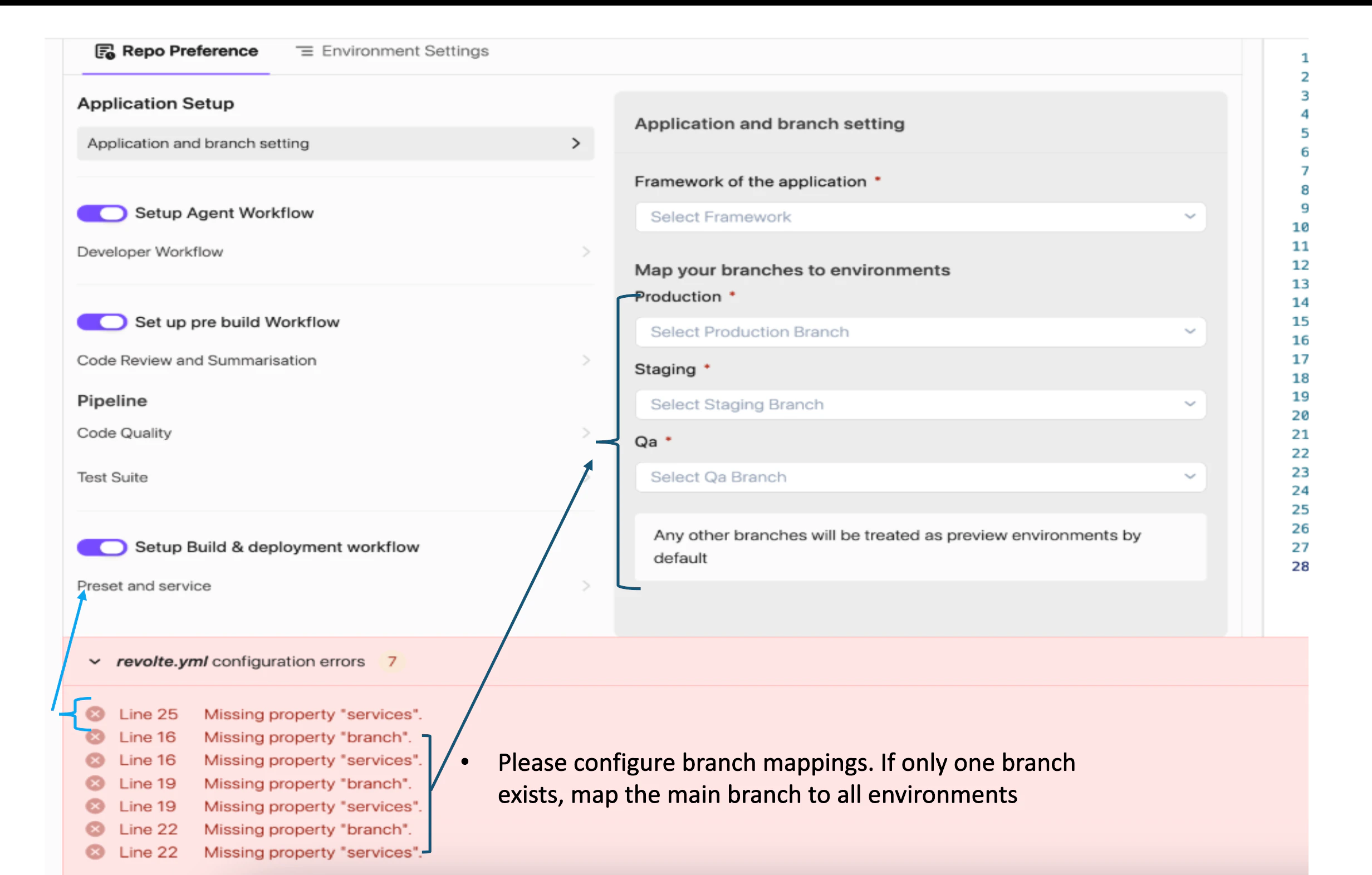
- Navigate to Repository Preferences → Application and Branch Setting.
- Configure branch mappings for each environment.
- Save the configuration.
- Commit and push the updated revolte.yaml.
Missing services Property
If you see errors similar to: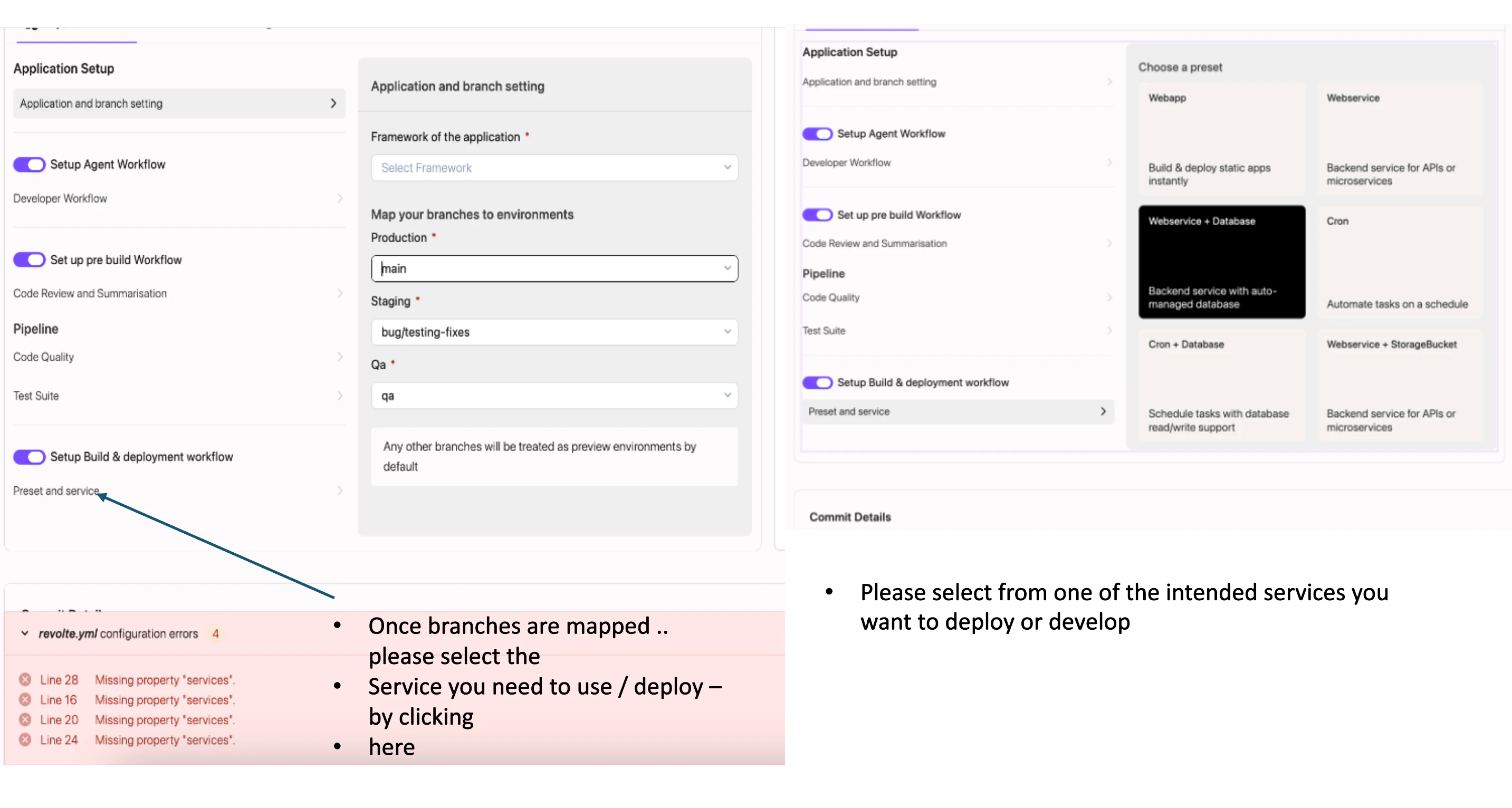
- Navigate to Repository Preferences → Preset and Service.
- Select the application type you want to deploy.
- Choose the appropriate service configuration:
- Web App
- Web Service
- Web Service + Database
- Cron Job
- Cron + Database
- Web Service + Storage Bucket
- Save the configuration.
- Commit and push the updated revolte.yaml.