

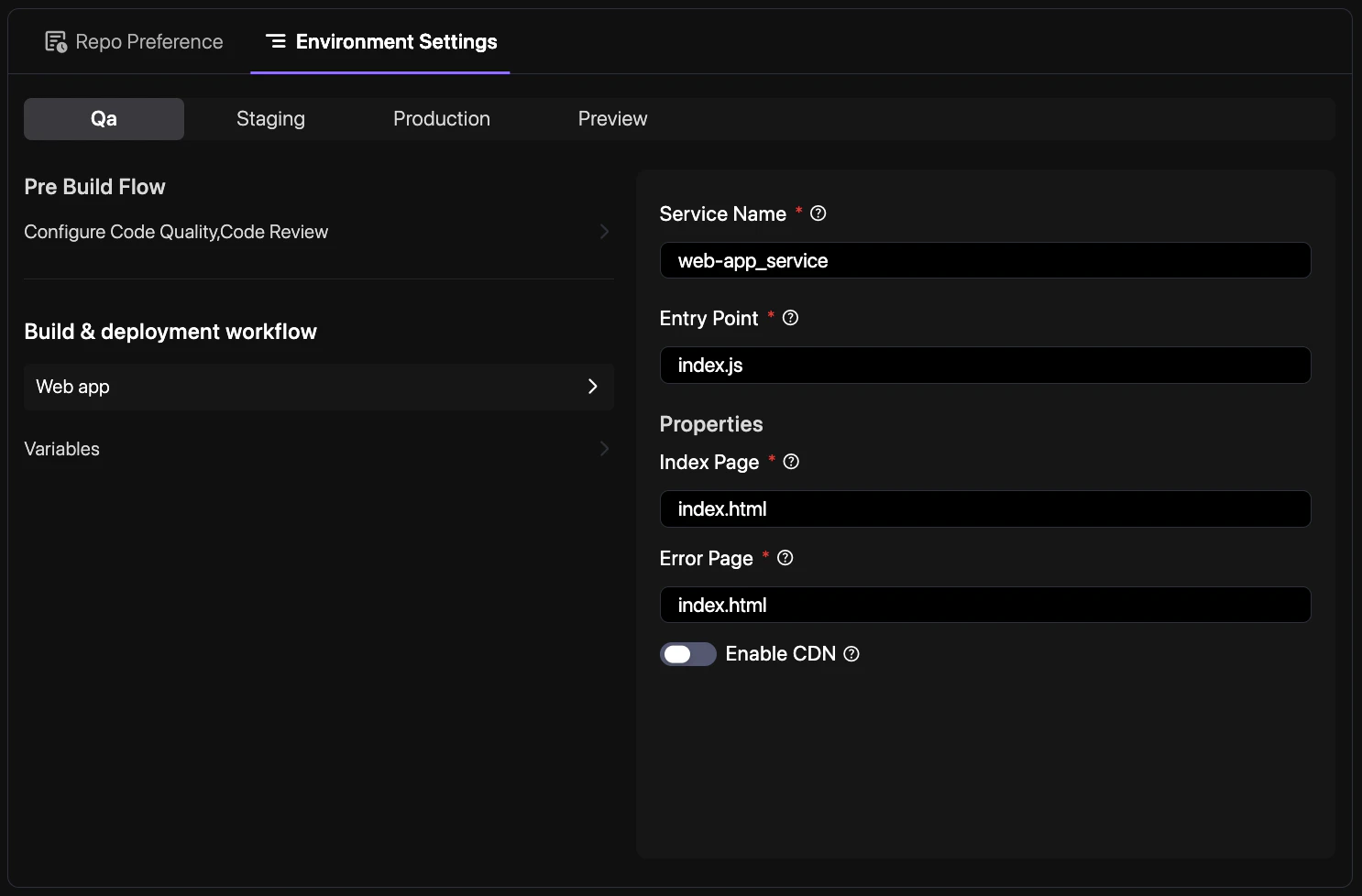
How to navigate
To manage these settings from the project dashboard:- Select your project from the Revolte dashboard.
- Navigate to YAML Configuration > Environment Settings.
- Use the environment tabs to switch between settings for Production, UAT, QA, or Preview environments.
Environment-specific configuration
In yourrevolte.yaml, you can specify different values for variables, resource limits, and automated workflows depending on the target environment.
revolte.yaml
Key configuration areas
- Pre-build Workflow: Configure environment-specific pre-build automation, quality gates, and automated reviews.
- Services & Resources: Define resource specifications (CPU, Memory) and scaling policies per environment.
- Variables & Secrets: Manage environment variables and secure secrets for different deployment targets.