

1
Open the Workflow Run
Open the Jira-triggered workflow in Revolte, then select Artifacts.
2
Read the Plan
Select Plan to review the codebase background, implementation subtasks, proposed file changes, and verification plan.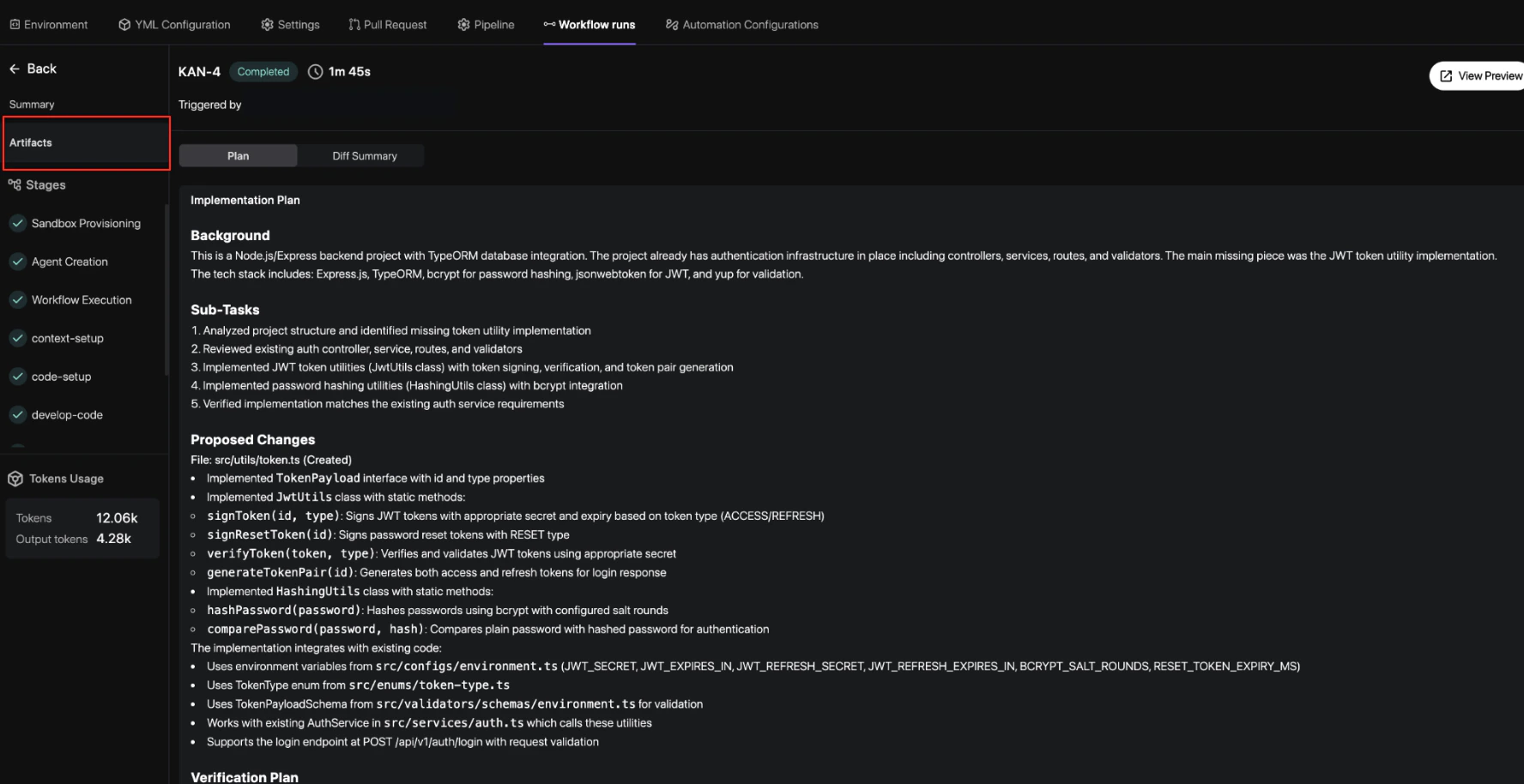
3
Check the Approach
Confirm that the plan addresses the ticket, follows the existing architecture, and includes the checks needed to validate the change.
Key Plan Components
- Background: The relevant codebase structure and existing implementation patterns.
- Subtasks: The ordered work Revolte performed or proposes to perform.
- Proposed changes: The files and behavior affected by the implementation.
- Verification plan: The tests and checks used to validate the result.