

Sandboxes power both interactive AI Chat sessions and automated Jira Workflow runs. Whenever you see “Sandbox Provisioning” in an agent run’s execution stages, or a live Code tab in an AI Chat thread, it’s backed by a sandbox.
How a sandbox is set up
When a sandbox starts, it’s set up in one of two ways:- Connected to a repository: If your thread or workflow is linked to a repository, the sandbox authenticates with your Git provider and clones the target branch, then checks out a dedicated working branch for the agent’s changes.
- Fresh project: If no repository is connected yet, the sandbox initializes an empty local Git project. You can link it to a remote repository later and push the work the agent has done.
Sandbox lifecycle
A sandbox moves through the following states over its lifetime:Inactivity timeout
Sandboxes aren’t kept running indefinitely. If a sandbox sits idle, Revolte warns you it will be torn down in about a minute, then automatically deprovisions it to free up resources. Does that mean my changes are gone? Not if your thread is linked to a repository. Just before teardown, Revolte automatically commits and pushes whatever the agent had changed as a draft commit to the working branch on your Git provider—so the work survives even if you weren’t there to save it. Reopening the thread afterward provisions a fresh sandbox, picking up from the last commit that made it out—not from the exact in-progress state you left.Monthly sandbox hours
Sandbox compute time is tracked against your organization’s monthly allotment, which scales with your plan:
If your organization’s monthly sandbox hours are used up, any active sandboxes are stopped and you’ll see a notice explaining that usage has been depleted for the billing period. See Pricing & Usage Plans for full plan details.
Sandbox size
When starting a new AI Chat thread, you can choose the size of the sandbox the agent runs in:
Pick a larger sandbox for workloads with heavier build steps, larger dependency installs, or more memory-intensive test suites. Automated Jira Workflow runs use a size appropriate for the task automatically.
Working inside a sandbox
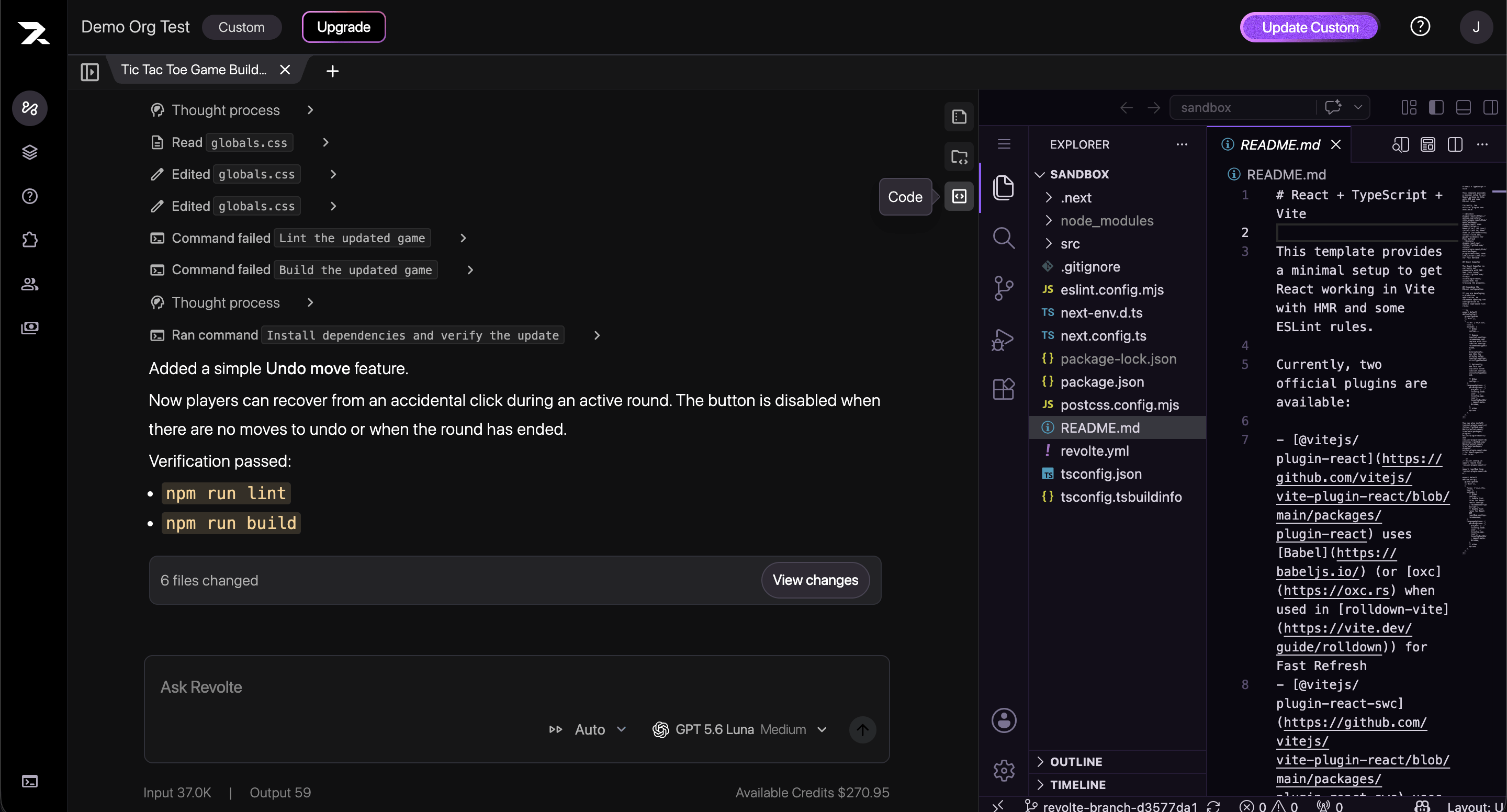
While a sandbox is Running, an AI Chat thread exposes two live views into it:- Code: A full in-browser code editor connected directly to the sandbox’s filesystem, so you can inspect (or edit alongside the agent) the exact state of the code as the agent works.
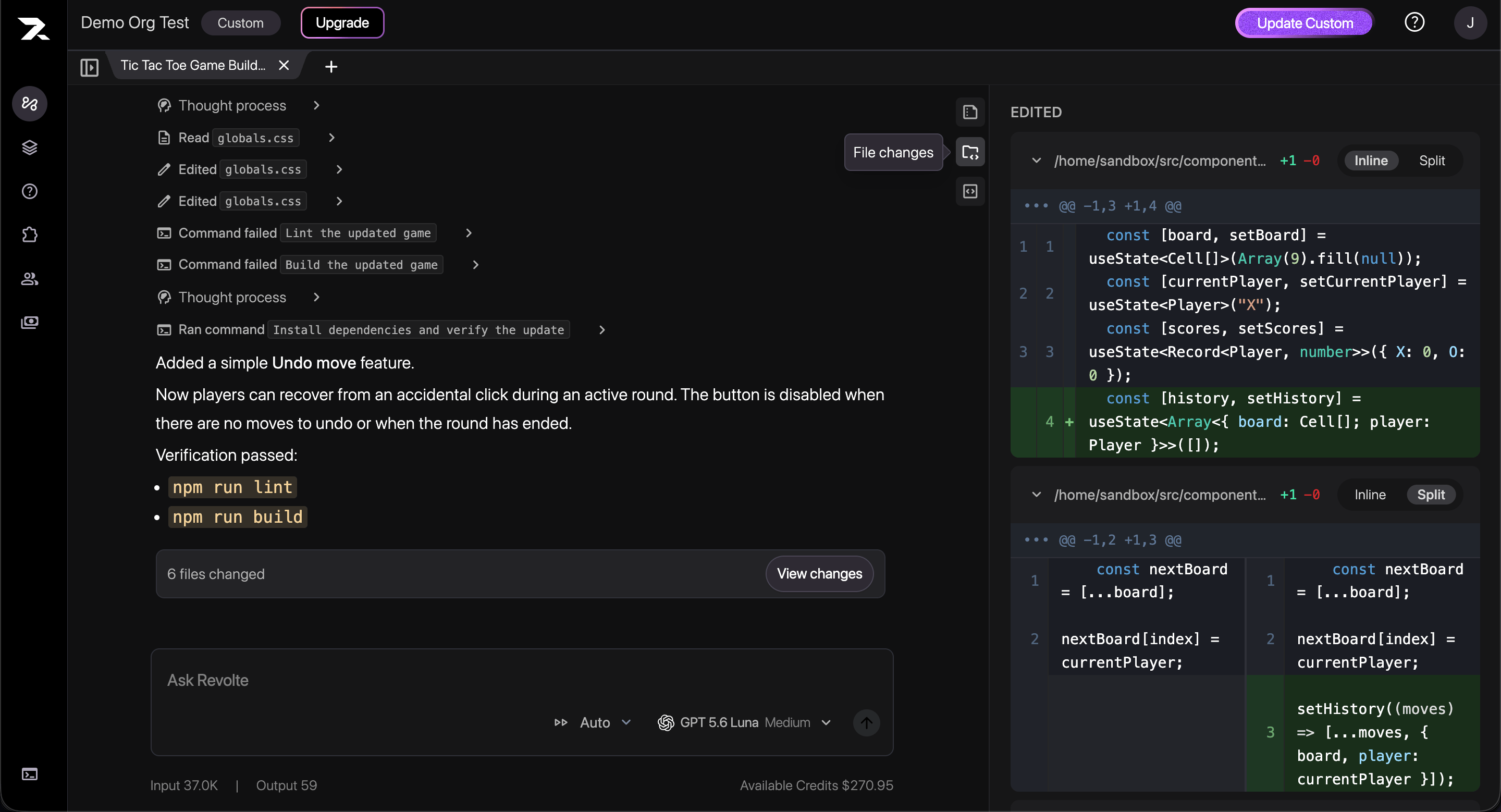
- File changes: A live diff view of every file the agent has created or modified via its Write/Edit tool calls, so you can review changes as they happen rather than waiting for a final summary.
Getting your code out
A sandbox’s filesystem is disposable, so nothing in it persists past its lifecycle unless it’s committed out (see Inactivity timeout for what happens automatically):- In AI Chat, you can link the sandbox’s local repository to a remote and commit and push the agent’s changes at any time—Revolte can also generate a commit message for you.
- In Jira Workflow runs, the agent commits its changes and opens a Pull Request against your connected repository automatically, so you review and merge through your normal Git workflow.
Next steps
- Workflow Overview — Compare interactive AI Chat with automated Jira workflows.
- Automate Work from Jira — Watch sandbox provisioning happen in a real run.