

Configuration Workflow
Follow these steps during the application onboarding phase to register a monorepo service.1
Access the Application Form
Navigate to the Create Application step of the onboarding flow.
2
Select Your Repository
Provide a name for the application and choose your connected Git repository.
3
Enable Monorepo Mode
Select the Select if its a mono repo checkbox to reveal the subdirectory configuration fields.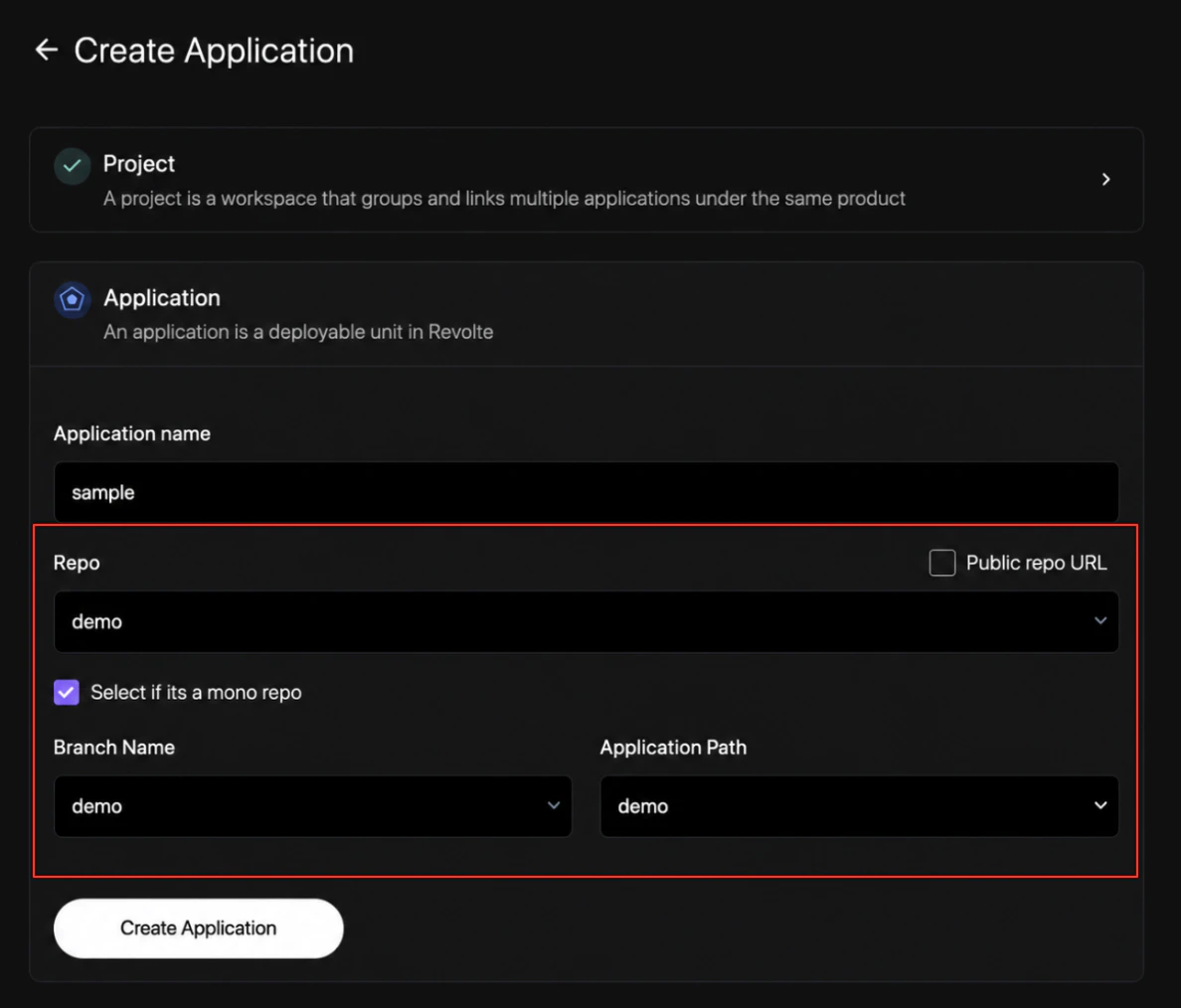
4
Define Branch and Path Context
Configure the directory mapping using the revealed fields:
- Branch Name: Select the Git branch containing the codebase to use for discovery and build workflows.
- Application Path: Select the subdirectory folder containing the application’s package files and configuration.
5
Register the Application
Click Create Application to complete onboarding and initialize the service under your project context.
Quick links
- Get Started — Return to the core onboarding guide.
- GitHub Integration — Connect your GitHub repositories.
- App & Branch Settings — Map environments to specific branches.