> ## Documentation Index
> Fetch the complete documentation index at: https://docs.revolte.ai/llms.txt
> Use this file to discover all available pages before exploring further.
# Service Presets & Runtime Templates
> Configure automated build and deployment workflows.
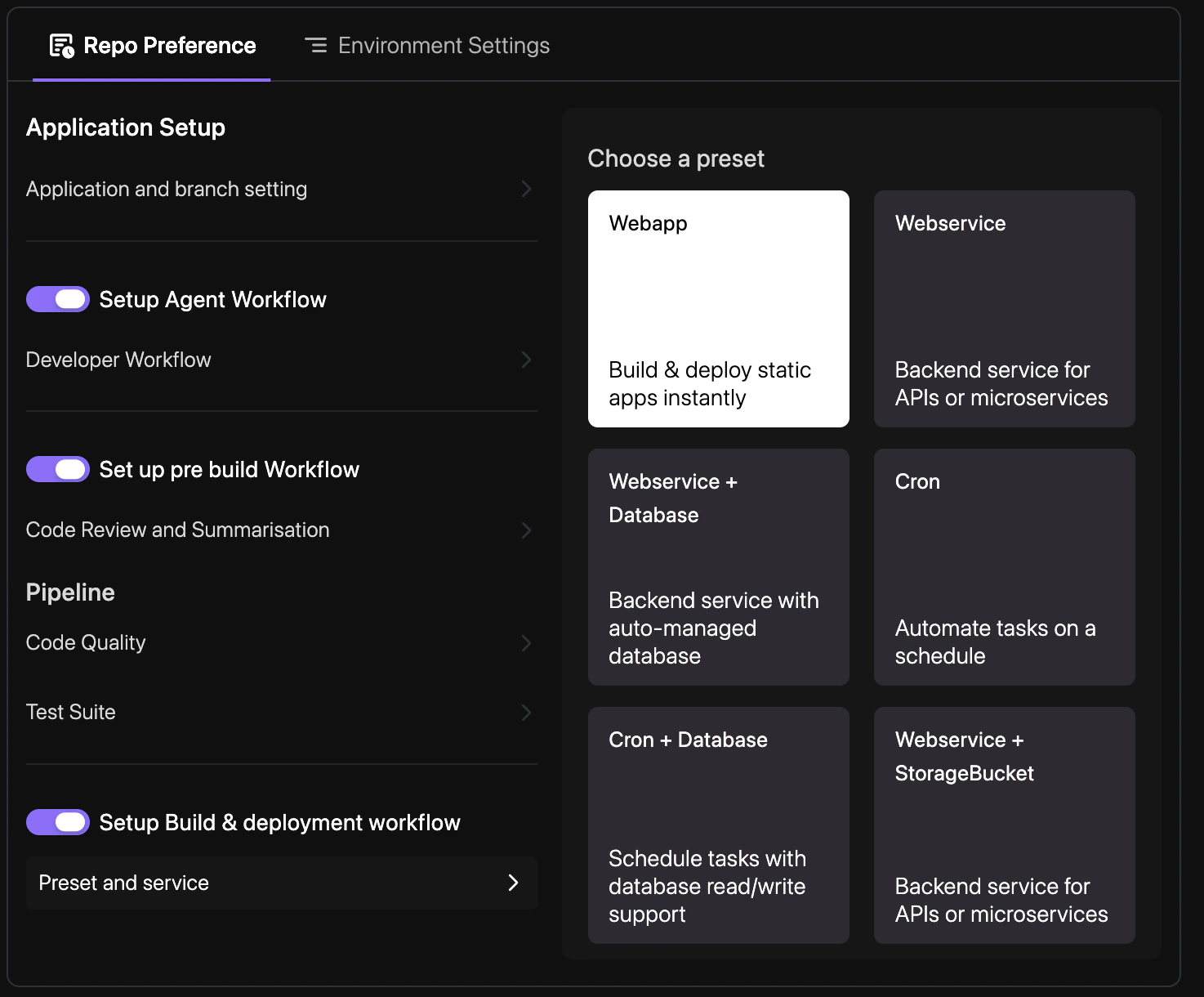
The **Preset & Service** settings define the automated path from a merged Pull Request to a running service in your targeted environment.
## How to enable
Define your build presets and rollout strategies to automate your release cycle.
Navigate to **YAML Configuration** > **Repo Preferences** and choose a build preset (e.g., Node.js, Reactjs, Nextjs) that matches your application framework.
Define which environments and branches should trigger automated deployments for your services.
Enter a commit message and select your target branch to persist the changes. See [Syncing Changes](/yaml/syncing) for a detailed walkthrough.
## Configuration example
```yaml revolte.yaml theme={"dark"}
revolte:
env:
production:
branch: main
services:
rid_1:
type: WEB_SERVICE
name: api-service
```
## Quick links
* [App & Branch Settings](/yaml/repo-preferences/app-branch-settings)
* [Prebuild Workflow](/yaml/repo-preferences/prebuild-workflow)
* [Deployments Overview](/deployments/services/overview)
* [YAML Overview](/yaml/overview)