> ## Documentation Index
> Fetch the complete documentation index at: https://docs.revolte.ai/llms.txt
> Use this file to discover all available pages before exploring further.
# Test Suite
> Manage automated unit and integration testing.
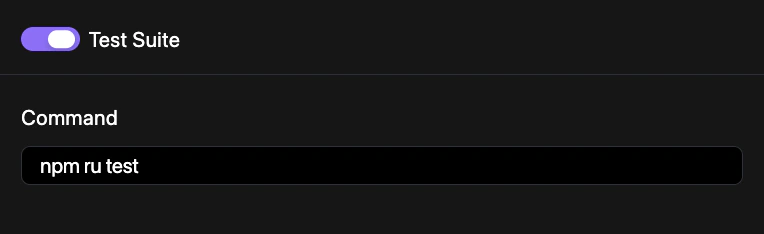
**Test Suite** component automates the execution of your project's tests. By integrating testing into your pipeline, you can ensure that new changes do not introduce regressions.
## How to configure
Manage your testing automation through the project dashboard.
Navigate to **YAML Configuration** > **Repo Preferences** and locate the **Pipelines** section.
Click on the **Test Suite** component to configure execution triggers.
Toggle automated runs for specific branches or promotion events.
Save your configuration to the repository. See [Syncing Changes](/yaml/syncing) for a detailed walkthrough.
## Configuration example
Enable the test suite in your `revolte.yaml`:
```yaml revolte.yaml theme={"dark"}
revolte:
version: "1.0"
project: Demo-Project
appName: "demo-app"
config:
pipeline:
testSuite:
command: npm run test
```
## Automation test suite Coming Soon
Expand your testing strategy with automated end-to-end and browser-based validation. This module will integrate with popular frameworks like Playwright and Cypress to provide full-system verification before every release.
## Quick links
* [Code Quality](/yaml/repo-preferences/pipelines/code-quality)
* [Pipelines Overview](/yaml/repo-preferences/pipelines/overview)
* [Prebuild Workflow](/yaml/repo-preferences/prebuild-workflow)