> ## Documentation Index
> Fetch the complete documentation index at: https://docs.revolte.ai/llms.txt
> Use this file to discover all available pages before exploring further.
# Common errors
## Common Validation Errors
When Revolte validates your `revolte.yaml`, it may show configuration errors if required environment settings are missing.
These errors usually occur when branches or services have not been configured in **Repository Preferences**.
***
### Missing `branch` Property
If you see an error like this:
```text theme={"dark"}
Line 16 Missing property "branch"
Line 19 Missing property "branch"
Line 22 Missing property "branch"
```
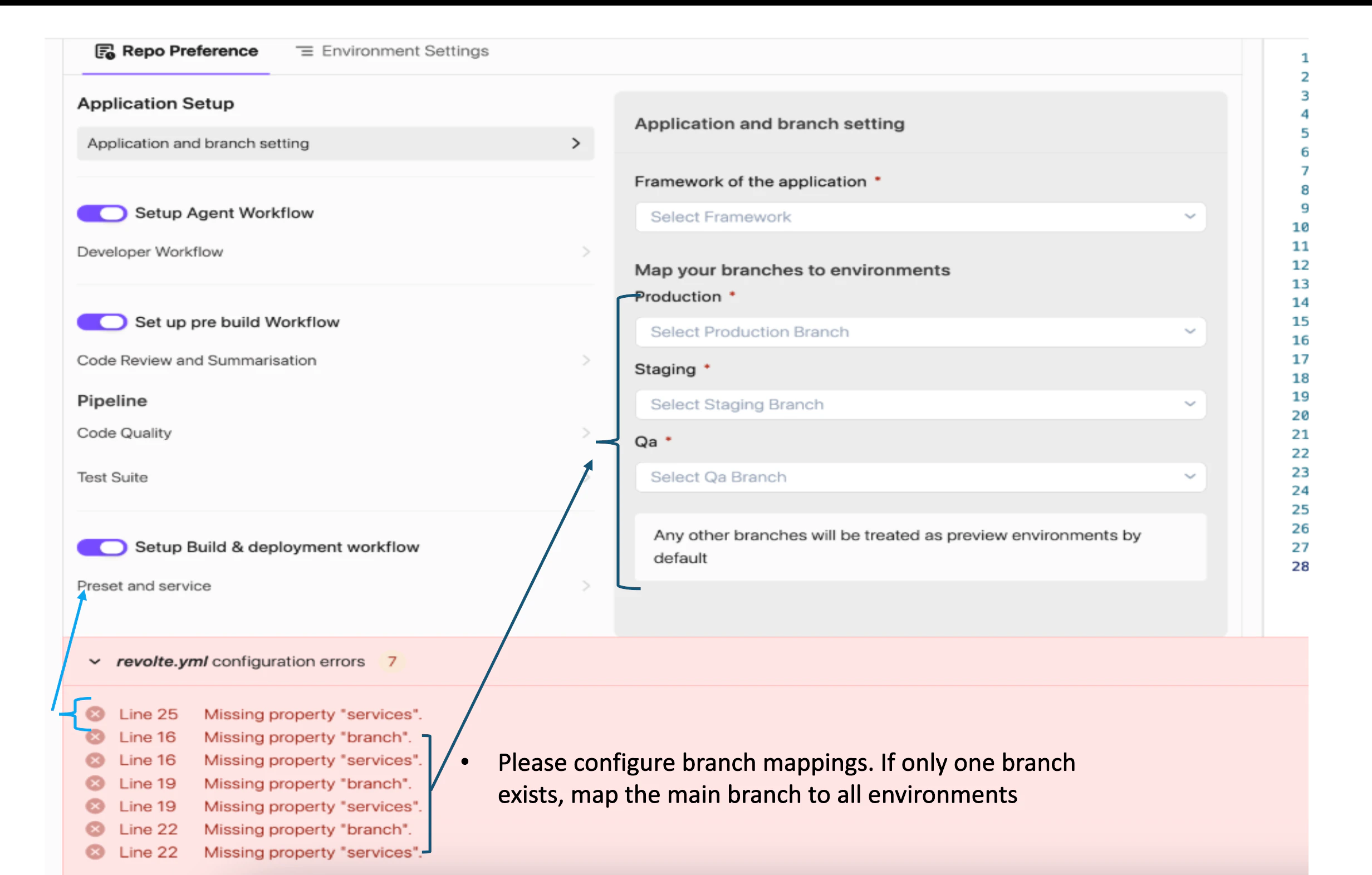 it means one or more environments have not been mapped to a Git branch.
How to fix
1. Navigate to Repository Preferences → Application and Branch Setting.
2. Configure branch mappings for each environment.
3. Save the configuration.
4. Commit and push the updated revolte.yaml.
If your repository only uses a single branch, map the main branch to all environments.
### Missing services Property
If you see errors similar to:
```text theme={"dark"}
Line 16 Missing property "services"
Line 20 Missing property "services"
Line 24 Missing property "services"
```
it means one or more environments have not been mapped to a Git branch.
How to fix
1. Navigate to Repository Preferences → Application and Branch Setting.
2. Configure branch mappings for each environment.
3. Save the configuration.
4. Commit and push the updated revolte.yaml.
If your repository only uses a single branch, map the main branch to all environments.
### Missing services Property
If you see errors similar to:
```text theme={"dark"}
Line 16 Missing property "services"
Line 20 Missing property "services"
Line 24 Missing property "services"
```
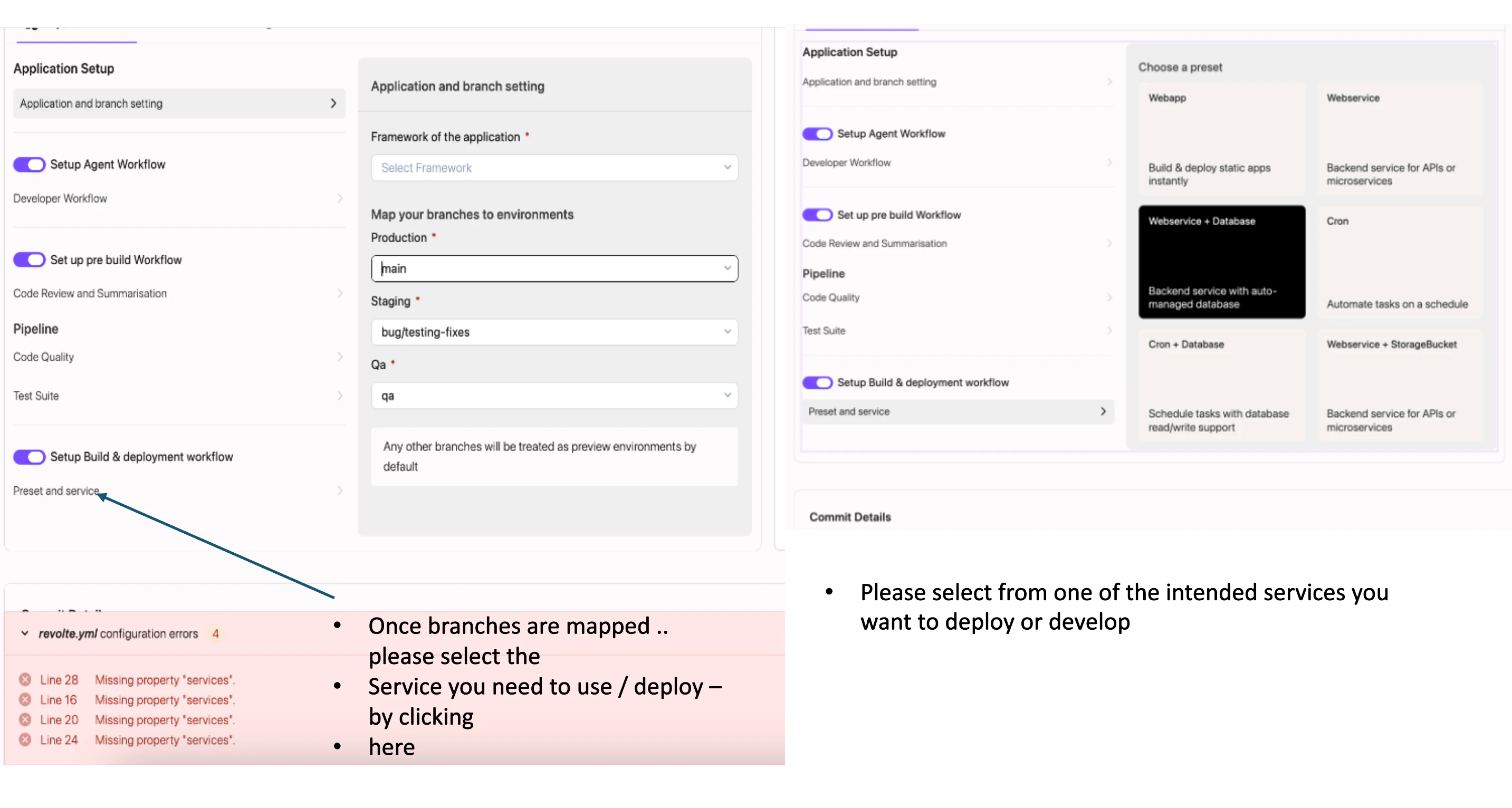 it means an environment has been created but no service definition has been configured.
How to fix
1. Navigate to Repository Preferences → Preset and Service.
2. Select the application type you want to deploy.
3. Choose the appropriate service configuration:
* Web App
* Web Service
* Web Service + Database
* Cron Job
* Cron + Database
* Web Service + Storage Bucket
4. Save the configuration.
5. Commit and push the updated revolte.yaml.
it means an environment has been created but no service definition has been configured.
How to fix
1. Navigate to Repository Preferences → Preset and Service.
2. Select the application type you want to deploy.
3. Choose the appropriate service configuration:
* Web App
* Web Service
* Web Service + Database
* Cron Job
* Cron + Database
* Web Service + Storage Bucket
4. Save the configuration.
5. Commit and push the updated revolte.yaml.