> ## Documentation Index
> Fetch the complete documentation index at: https://docs.revolte.ai/llms.txt
> Use this file to discover all available pages before exploring further.
# Continue Existing Work
> Continue with an existing application, create another application, or return to a previous task.
Returning users can start from an application that already exists or create a new application from **All Projects**.
Select **Chat** from the left navigation.
Open the application selector below the prompt composer, then choose the application you want to work with from **Application list**.
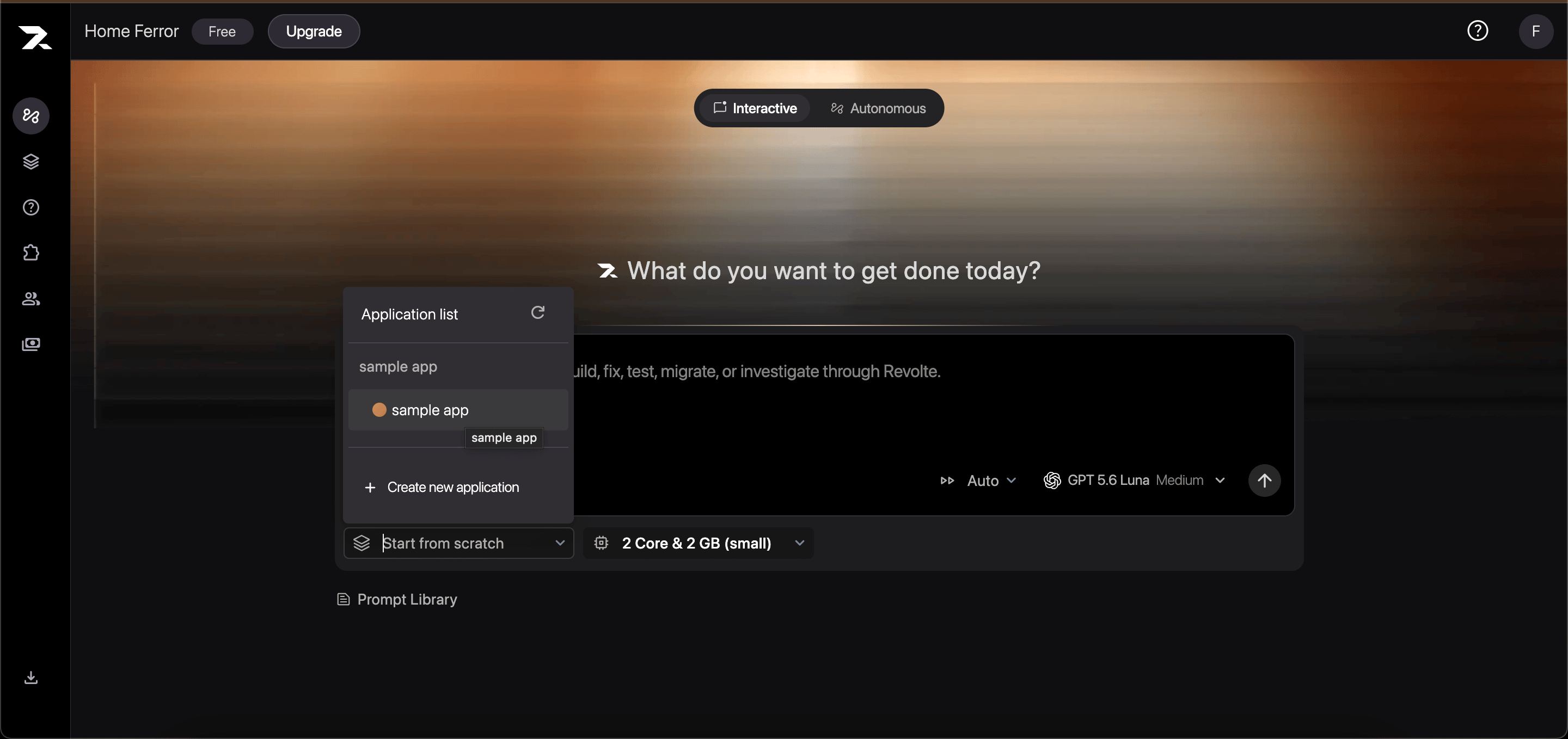 Select a branch, describe the next change, and submit your prompt. Revolte starts the work with the selected application's repository context.
Select **All Projects** from the left navigation. Existing projects and applications appear on this page.
Select a branch, describe the next change, and submit your prompt. Revolte starts the work with the selected application's repository context.
Select **All Projects** from the left navigation. Existing projects and applications appear on this page.
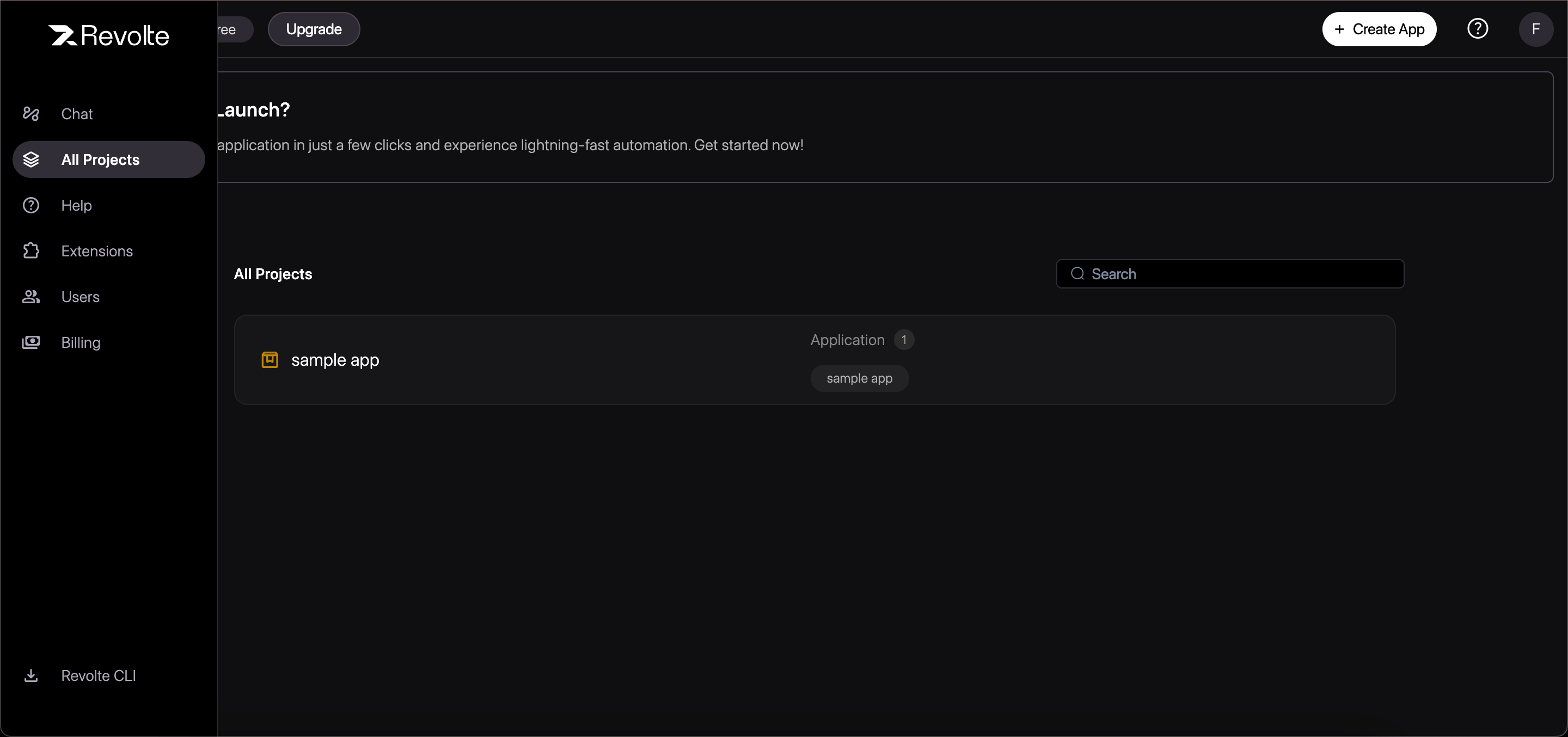 Click **Create App**, choose an existing project or create a new one, and connect the repository the application should use.
Return to **Chat**, select the new application from **Application list**, choose a branch, and submit your prompt.
Selecting an application starts work with its repository context. To reopen the same earlier conversation, open the task from your task history.
## Continue an earlier task
You can resume or iterate on a previously executed Revolte task using:
* **Follow-up Instructions**: Provide additional instructions to refine an existing diff.
* **Branch Resume**: Select an existing Revolte branch to append new commits.
* **Task History**: Access complete step-by-step logs and transcripts from past sessions.
Click **Create App**, choose an existing project or create a new one, and connect the repository the application should use.
Return to **Chat**, select the new application from **Application list**, choose a branch, and submit your prompt.
Selecting an application starts work with its repository context. To reopen the same earlier conversation, open the task from your task history.
## Continue an earlier task
You can resume or iterate on a previously executed Revolte task using:
* **Follow-up Instructions**: Provide additional instructions to refine an existing diff.
* **Branch Resume**: Select an existing Revolte branch to append new commits.
* **Task History**: Access complete step-by-step logs and transcripts from past sessions.