> ## Documentation Index
> Fetch the complete documentation index at: https://docs.revolte.ai/llms.txt
> Use this file to discover all available pages before exploring further.
# Build an App with Interactive Chat
> Describe an application, refine its requirements, review generated code, commit the result, and validate it with Revolte Interactive Chat.
Open Revolte, start a new chat, and confirm that **Interactive** mode is selected.
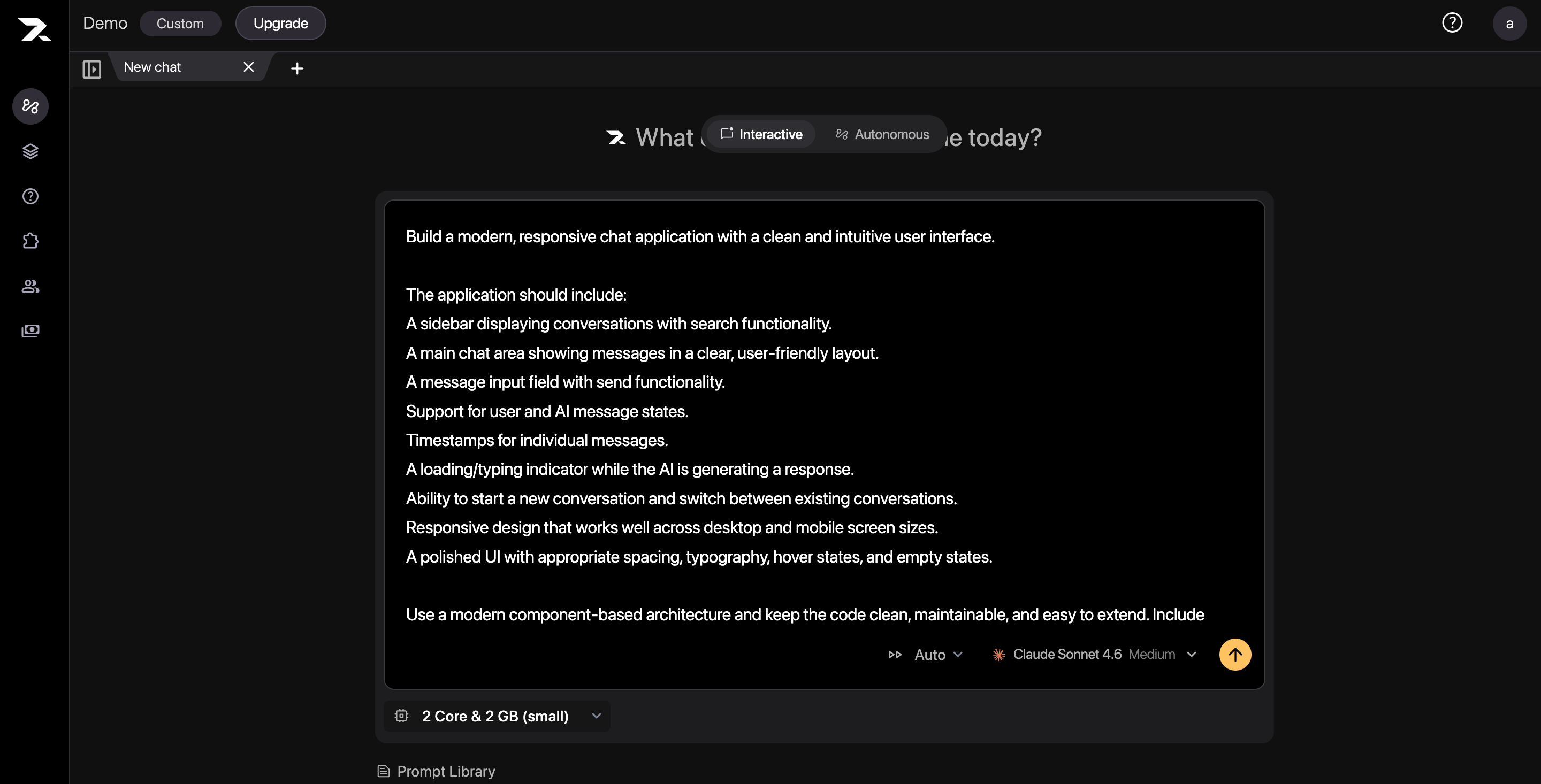
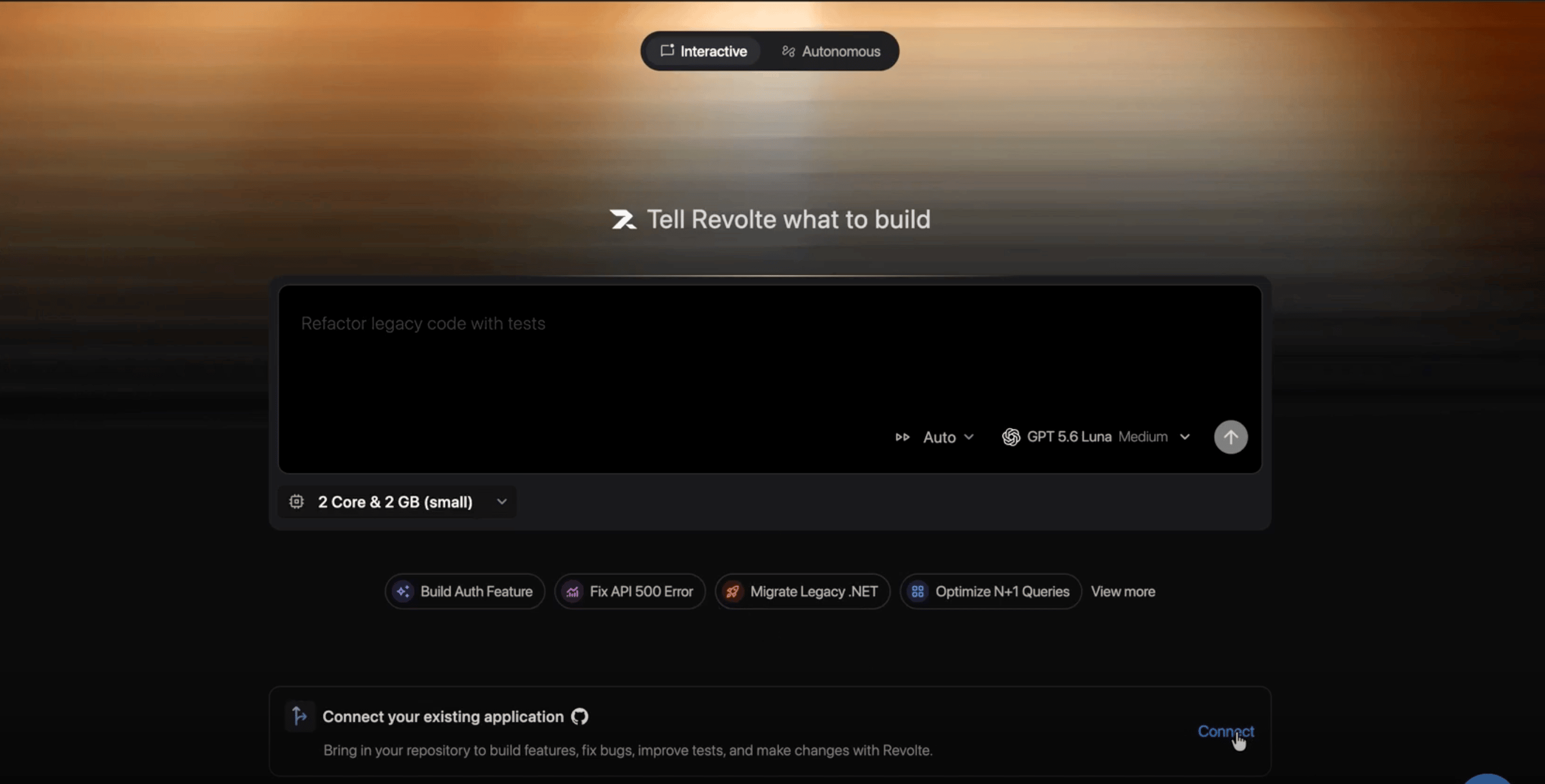 In the prompt box, describe the application and list its essential features. For example: “Build a responsive chat application with conversation search, message timestamps, and a typing indicator.”
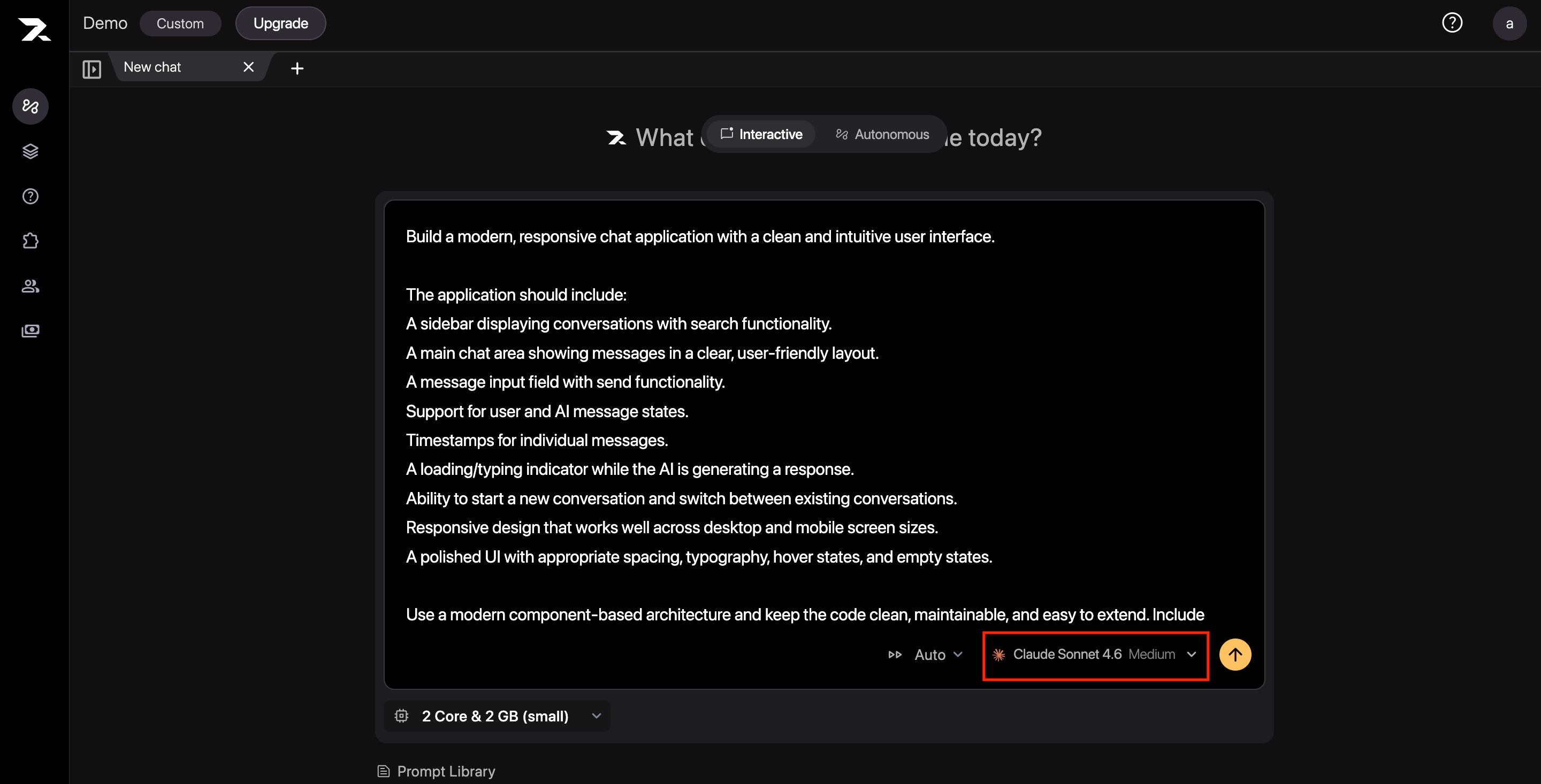
 Open the model selector and choose the model Revolte should use for the task.
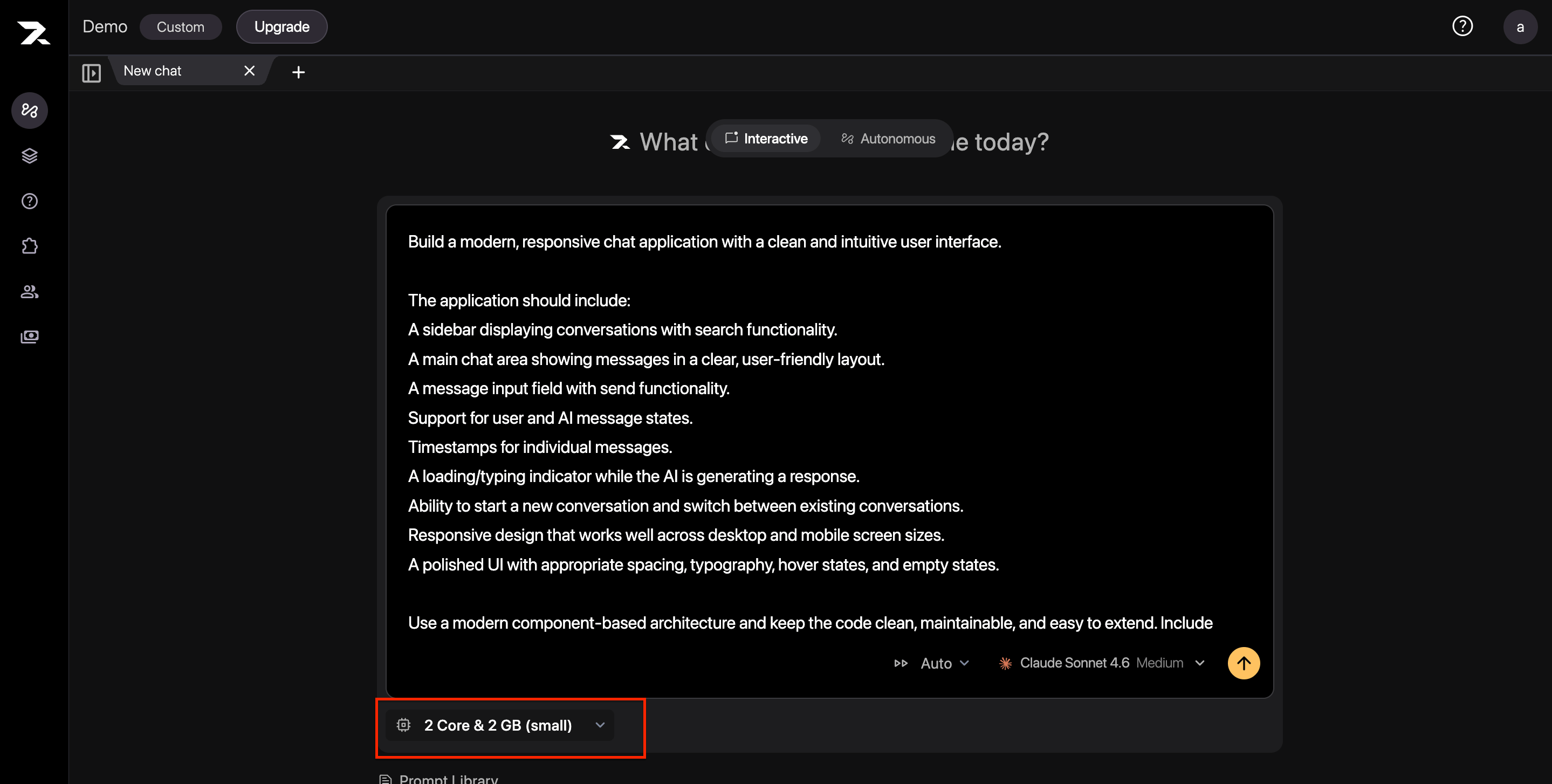
 Choose the CPU and memory size for the sandbox. Use a larger sandbox for workloads with heavier builds, dependency installation, or memory-intensive tests.
 Revolte builds and runs the application in an isolated environment, keeping agent activity separate from your local machine and shared environments.
Submit your request. Revolte provisions the sandbox and begins working on the application. Wait until the **Sandbox Environment** status shows **Active**.
Revolte builds and runs the application in an isolated environment, keeping agent activity separate from your local machine and shared environments.
Submit your request. Revolte provisions the sandbox and begins working on the application. Wait until the **Sandbox Environment** status shows **Active**.
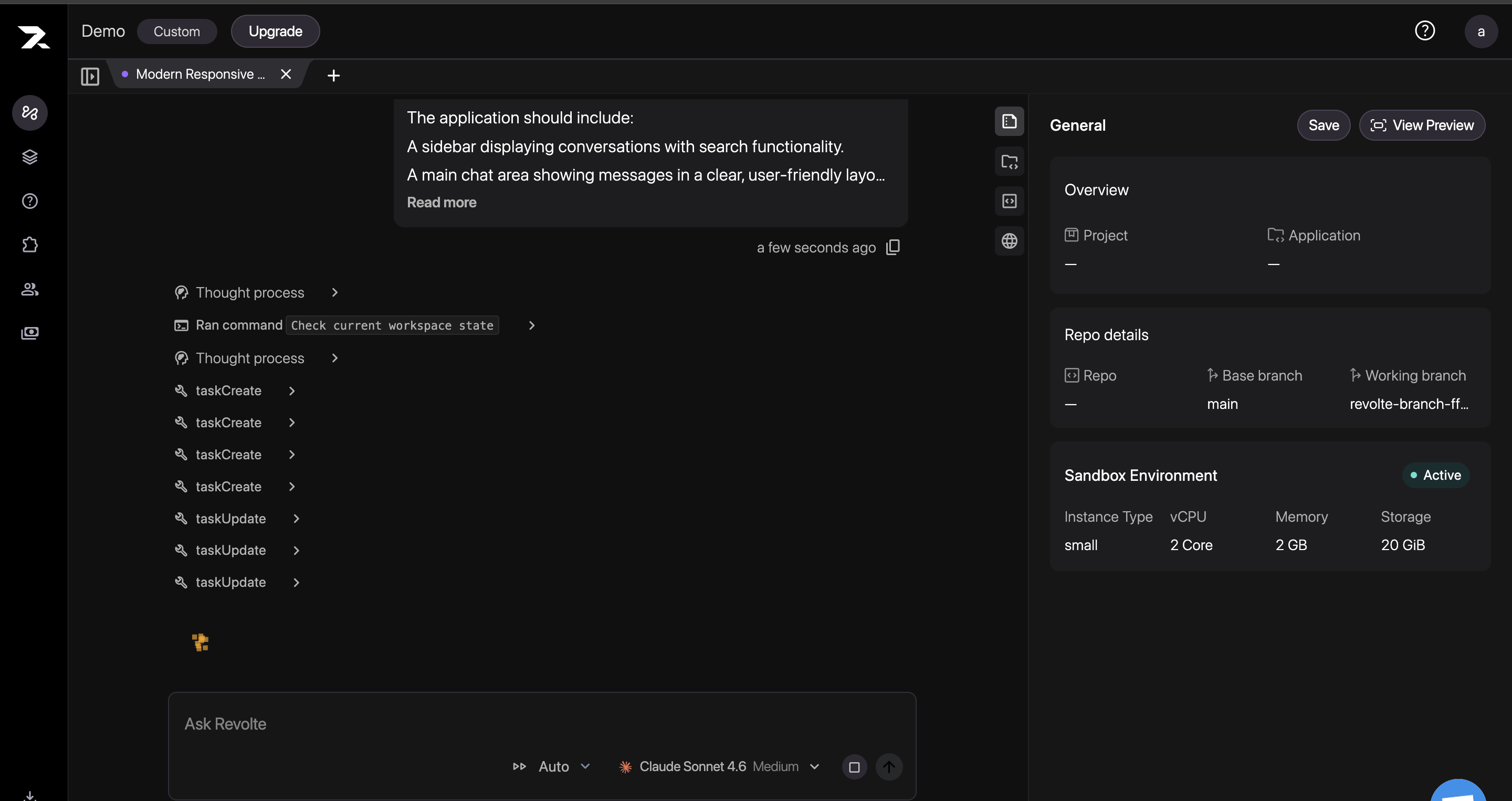 If Revolte asks a clarifying question, select one of the suggested answers or enter your own response. Continue until the requirements reflect the result you want.
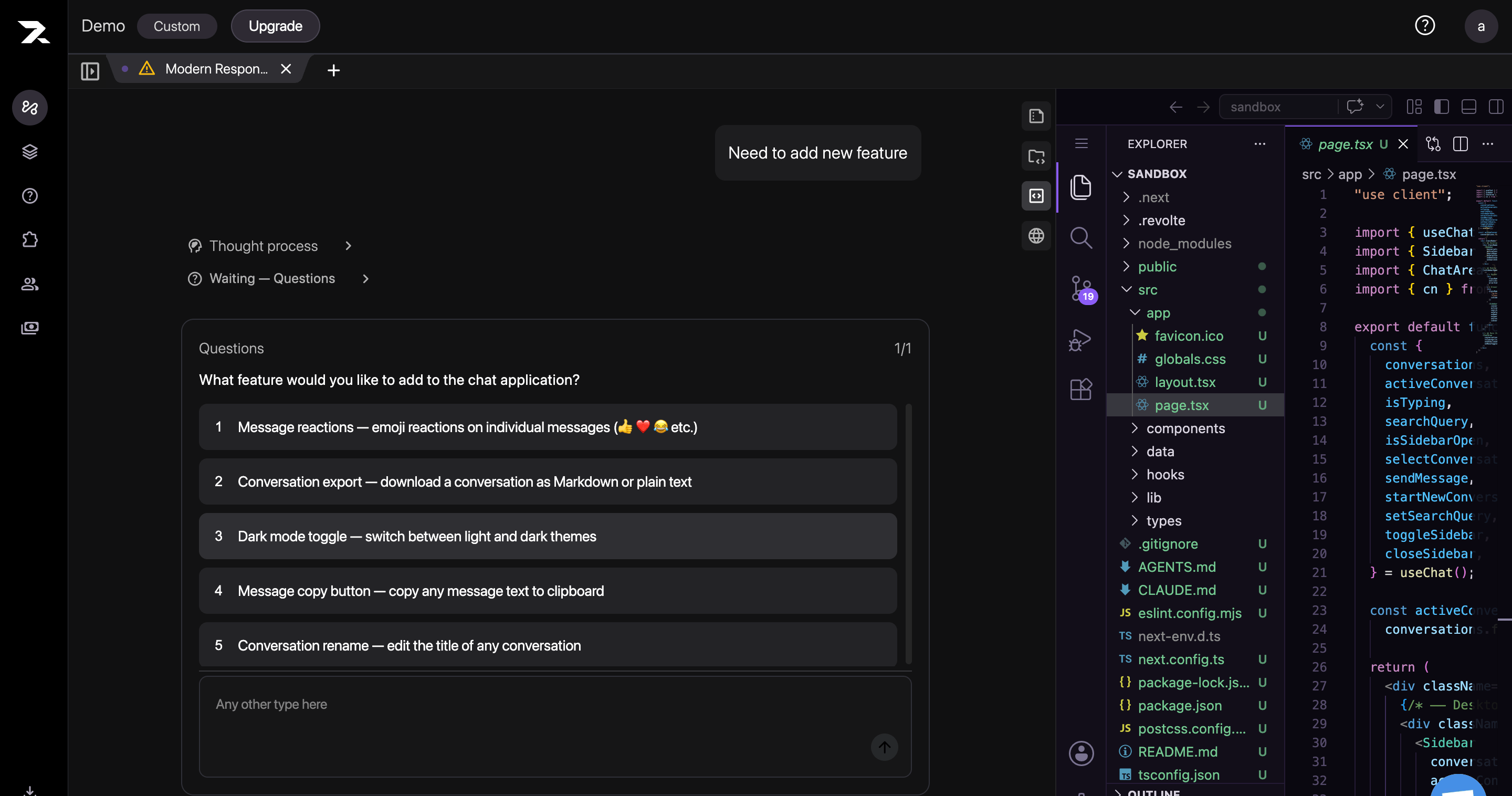 Revolte asks focused questions when a requirement is ambiguous, reducing assumptions before more code is changed.
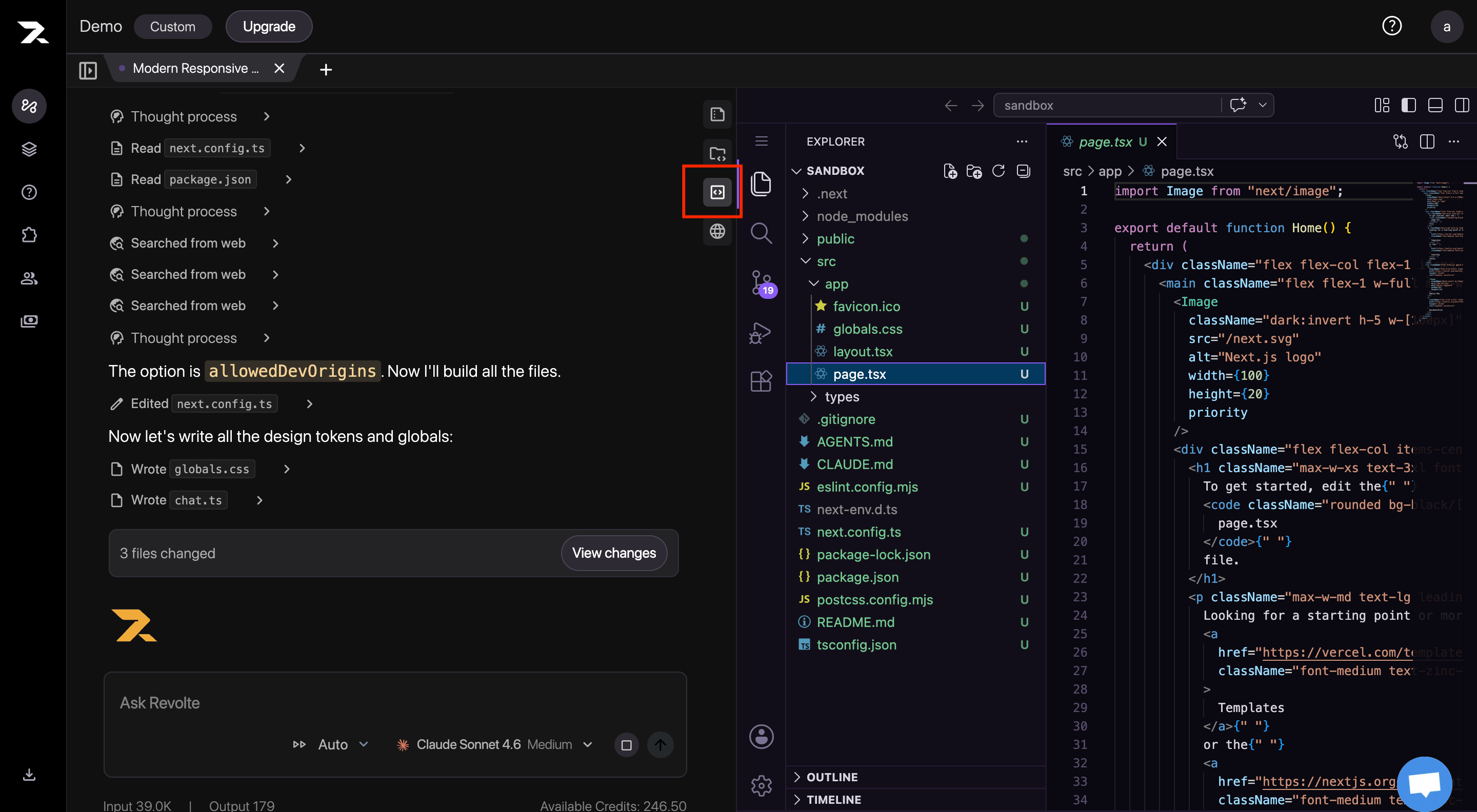
Open the **Code** panel to inspect the files Revolte created or modified. Review the file tree and code, and make any necessary edits directly in the sandbox.
Revolte asks focused questions when a requirement is ambiguous, reducing assumptions before more code is changed.
Open the **Code** panel to inspect the files Revolte created or modified. Review the file tree and code, and make any necessary edits directly in the sandbox.
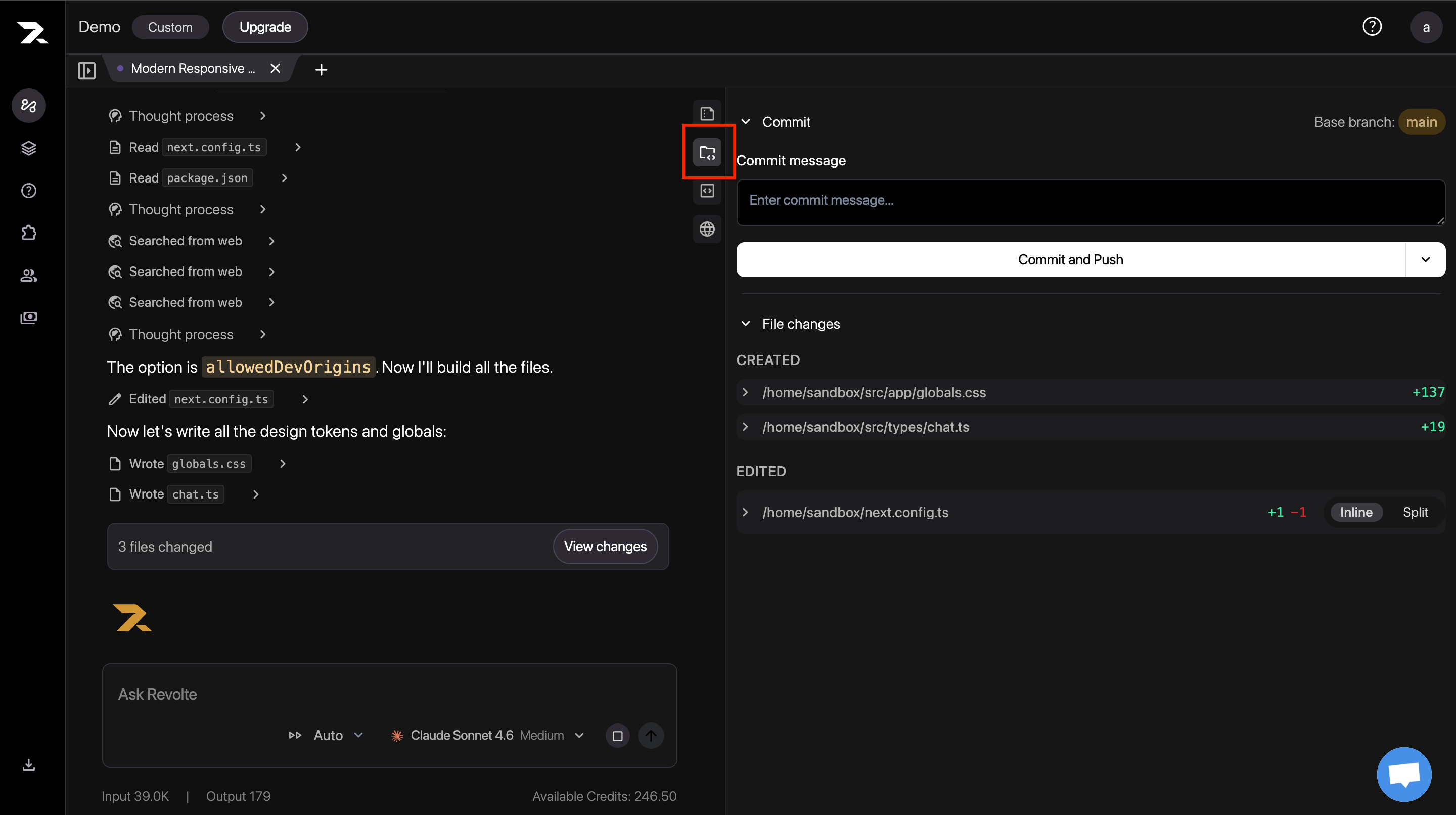
 Open the **Commit** panel, expand a file under **File changes**, and use the **Inline** or **Split** view to inspect every addition and deletion before committing.
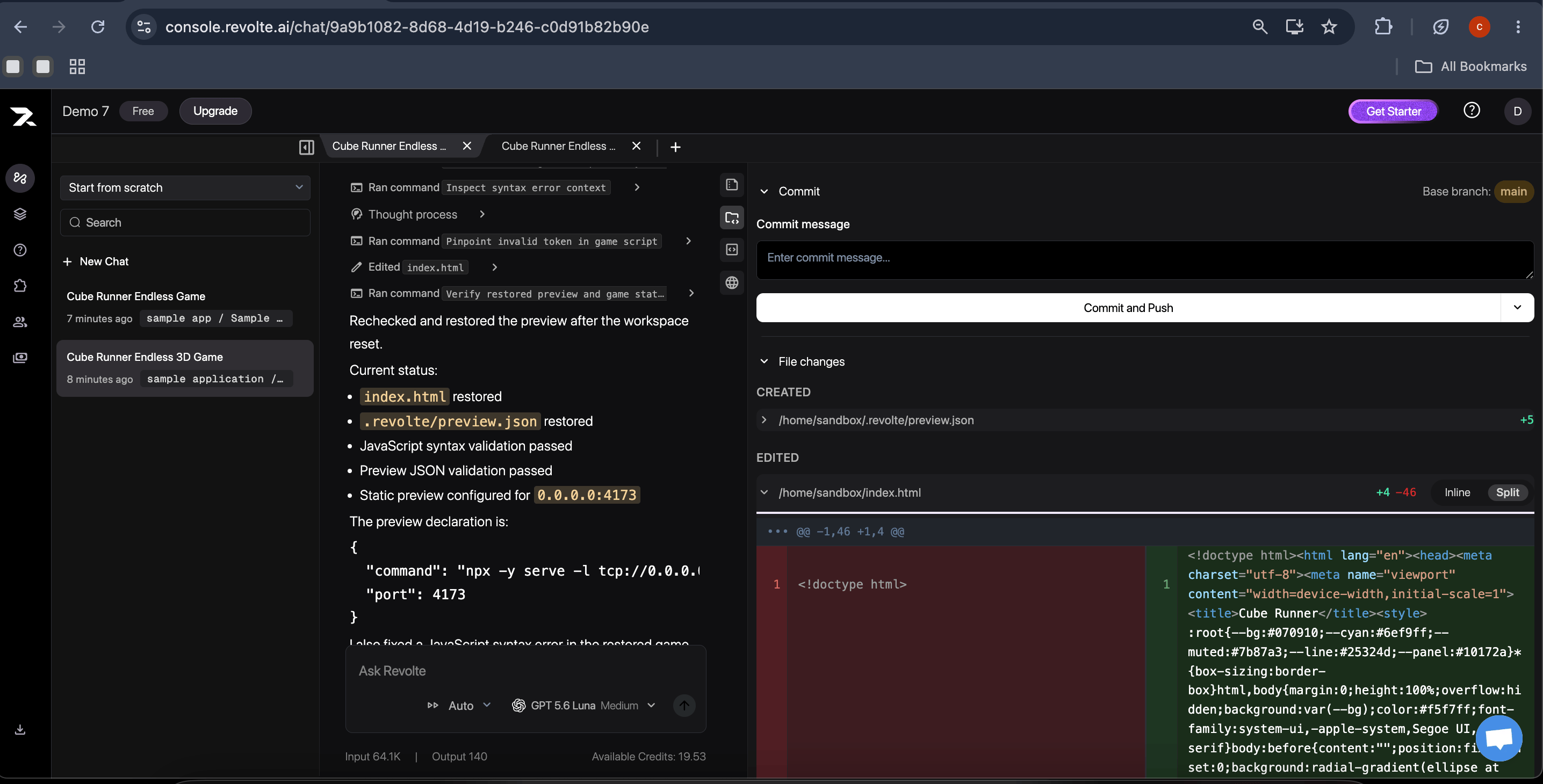 Open the **Commit** panel and review the changed files. Enter a clear commit message, then select **Commit and Push** to send the changes to the connected repository.
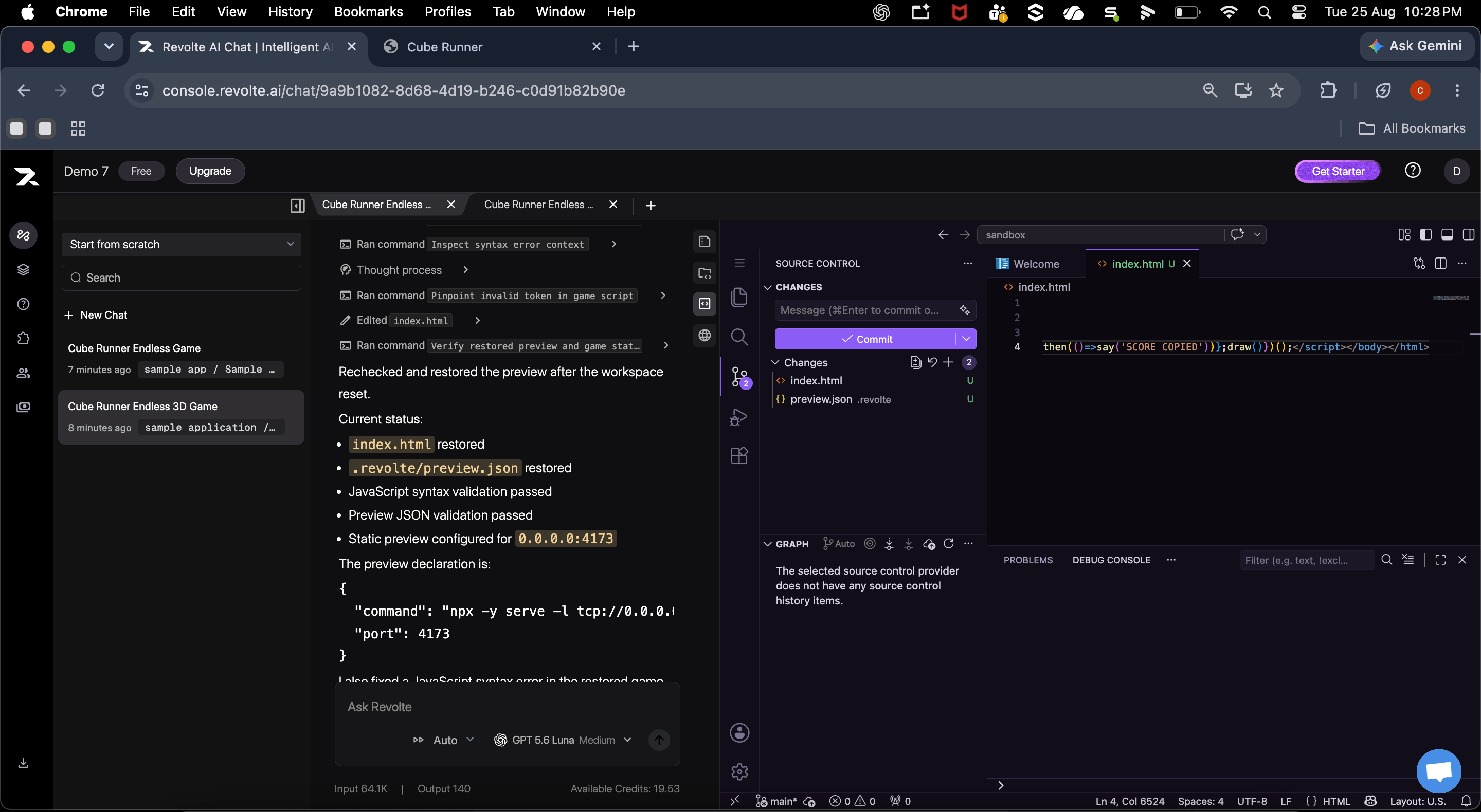
 After committing the change or reviewing the resulting pull request, open the secure, sandbox-backed VS Code workspace. Use the familiar Explorer, Source Control, editor, and terminal tools to inspect or update files without leaving Revolte.
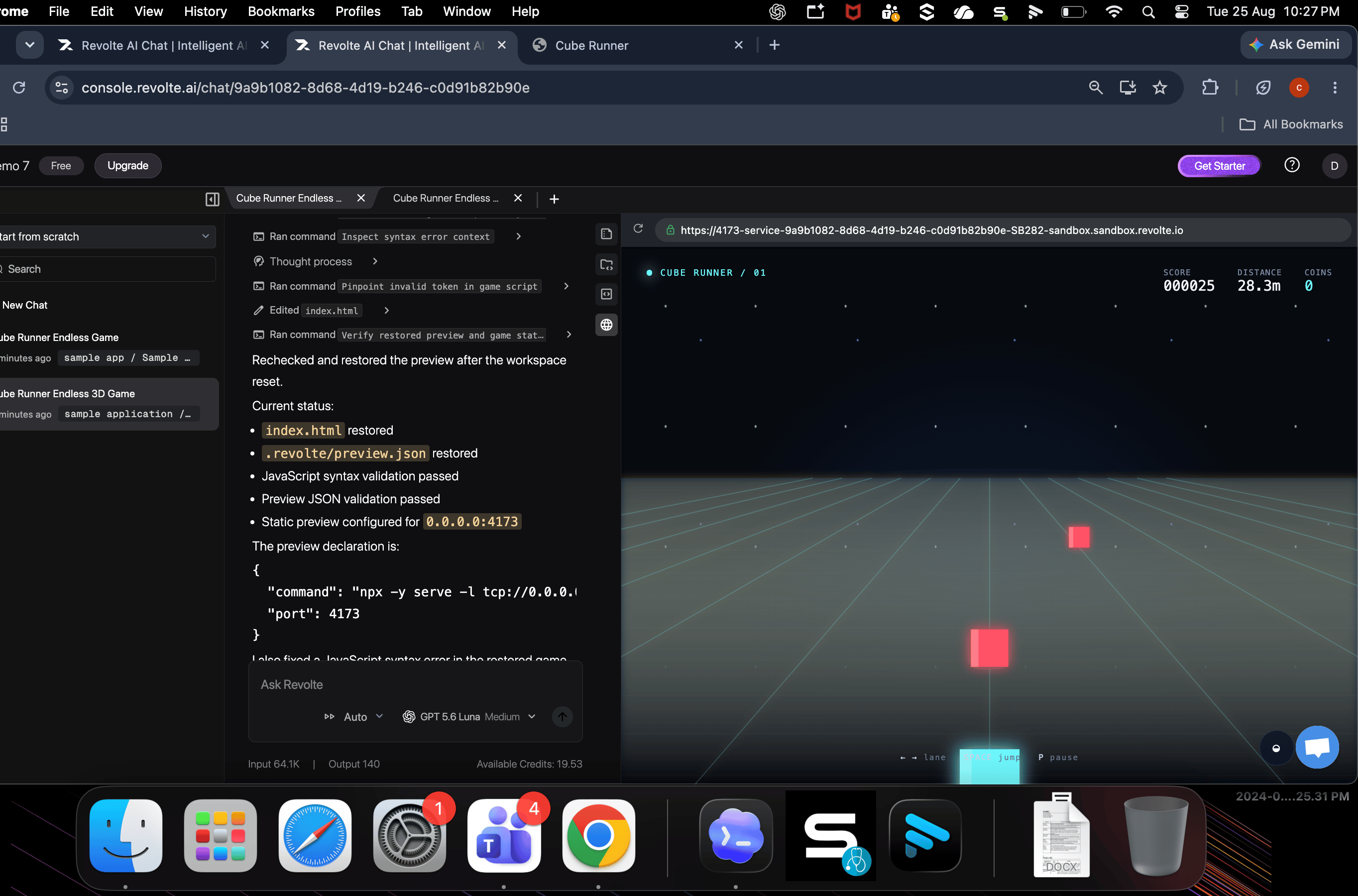
 Open **Live Preview** and interact with the running application in the sandbox. As you edit the code, hot reload refreshes the preview so you can validate changes immediately.
 ## Next steps
Move your committed Chat work into a managed Preview environment and validate the deployed application.
* [Learn more about AI Chat](/get-started/ai-chat)
* [Understand sandbox environments](/get-started/sandboxes)
* [Build from a Prompt](/workflows/build-from-prompt)
## Next steps
Move your committed Chat work into a managed Preview environment and validate the deployed application.
* [Learn more about AI Chat](/get-started/ai-chat)
* [Understand sandbox environments](/get-started/sandboxes)
* [Build from a Prompt](/workflows/build-from-prompt)