> ## Documentation Index
> Fetch the complete documentation index at: https://docs.revolte.ai/llms.txt
> Use this file to discover all available pages before exploring further.

# Quick Start

> Connect an application, configure its delivery context, and submit a focused Build request that produces a reviewable pull request.

Revolte provides multiple AI-assisted development and deployment workflows to help teams move from code to production.

* **Local Development**: Build locally using the Revolte CLI and AI-assisted development workflows.
* **AI Delivery Workflows**: Transform Jira requirements into structured engineering execution and pull request workflows.
* **Managed Deployments**: Deploy existing applications through managed infrastructure and automated delivery orchestration.

Each pathway supports different stages of the software delivery lifecycle while operating through a connected execution and deployment model. Follow the guides below to set up your first Revolte workflow and get started with your initial development session.

***

## Onboarding Walkthrough

Follow these interactive steps to connect your repository and launch your first application:

<Steps>
  <Step title="Sign up">
    [Create your Revolte account](https://console.revolte.ai/auth/login) and open the onboarding flow.
  </Step>

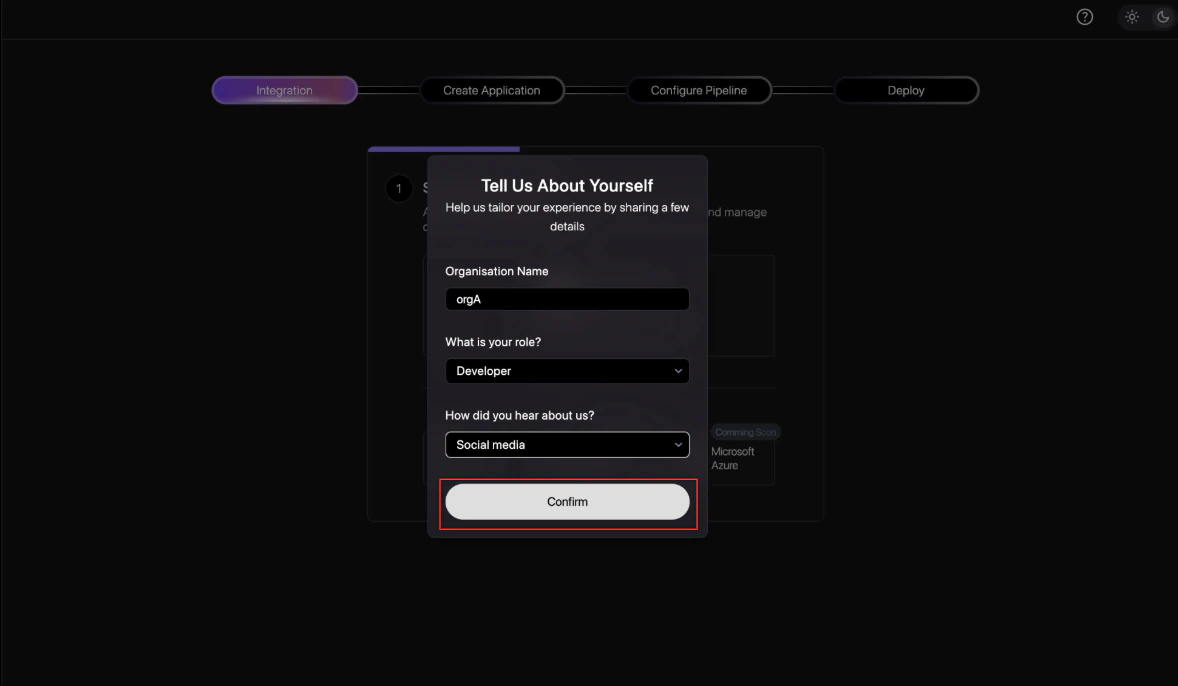
  <Step title="Complete workspace details">
    Add your organization details and role so Revolte can tailor the workspace context.

    <div style={{ display: "flex", justifyContent: "center" }}>
      <img src="https://mintcdn.com/poddle-54594c3d/q0Rk3K5lGk3vHIWm/image-v2/setup/quick-start-1.png?fit=max&auto=format&n=q0Rk3K5lGk3vHIWm&q=85&s=09d3087cf41c740a04cdc2aab450c328" width="600" alt="Workspace details modal" data-path="image-v2/setup/quick-start-1.png" />
    </div>
  </Step>

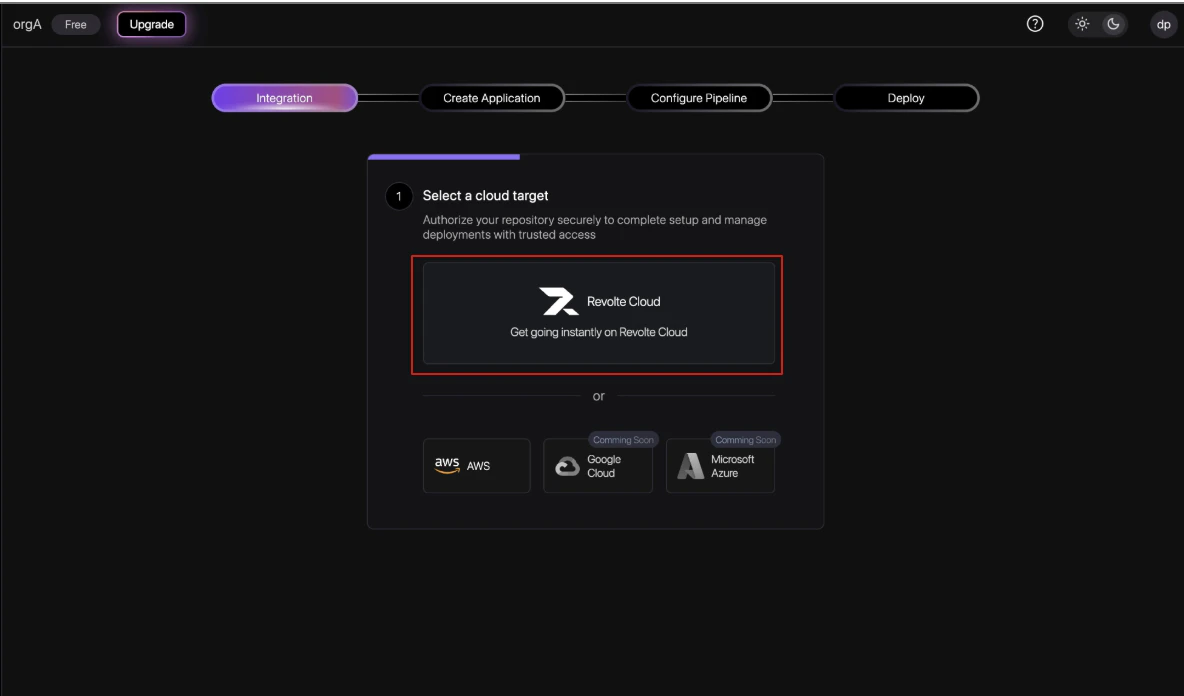
  <Step title="Select a cloud target">
    Choose where Revolte should run and manage the application infrastructure. See [Cloud Integrations](/integrations/cloud/overview) for details.

    <div style={{ display: "flex", justifyContent: "center" }}>
      <img src="https://mintcdn.com/poddle-54594c3d/q0Rk3K5lGk3vHIWm/image-v2/setup/quick-start-2.png?fit=max&auto=format&n=q0Rk3K5lGk3vHIWm&q=85&s=77ecb6fa289c67cc37a23b4e0d82b40a" width="600" alt="Cloud target selection" data-path="image-v2/setup/quick-start-2.png" />
    </div>
  </Step>

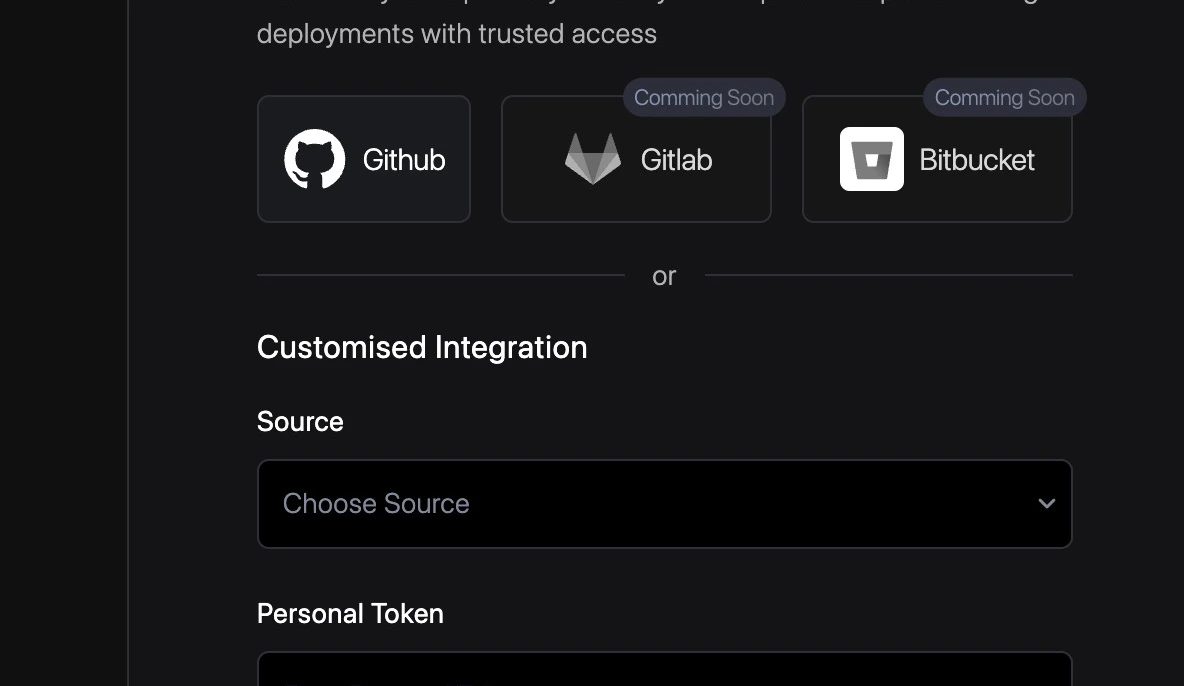
  <Step title="Connect source control">
    Connect the Git provider that contains the repository Revolte should use for generated work. See [Repository Integrations](/integrations/repository/overview) for details.

    <div style={{ display: "flex", justifyContent: "center" }}>
      <img src="https://mintcdn.com/poddle-54594c3d/q0Rk3K5lGk3vHIWm/image-v2/setup/quick-start-3.png?fit=max&auto=format&n=q0Rk3K5lGk3vHIWm&q=85&s=d5b4e66a43a355814ea1529944df40f9" width="600" alt="Source control integration" data-path="image-v2/setup/quick-start-3.png" />
    </div>
  </Step>

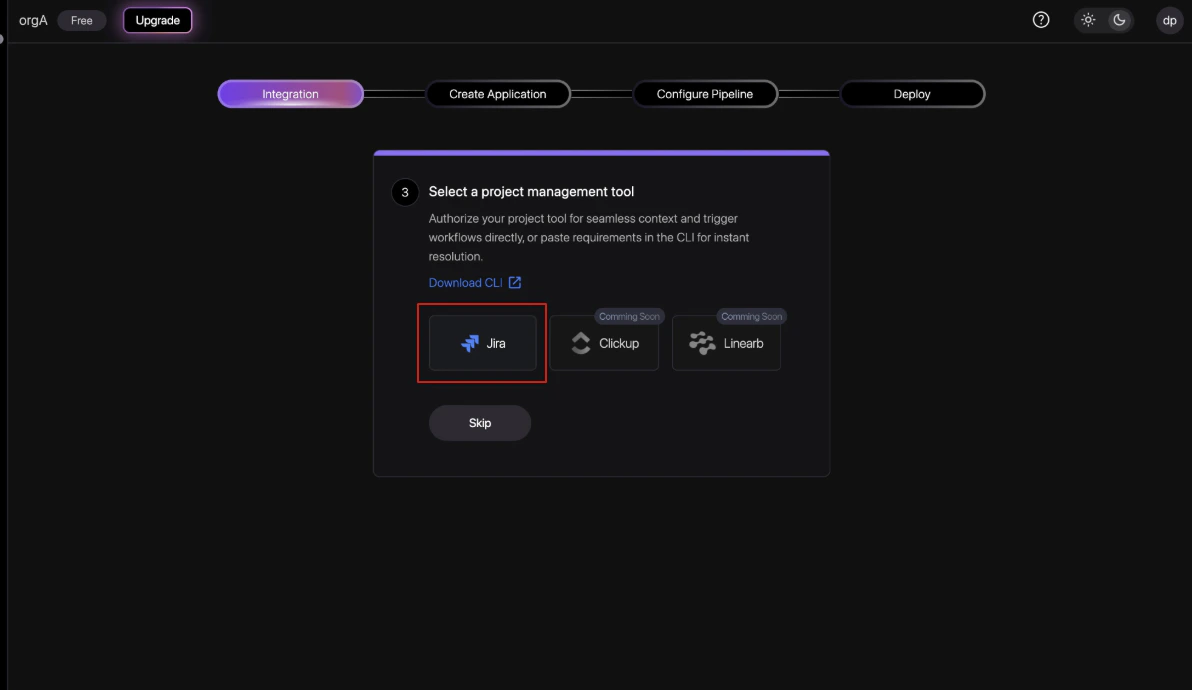
  <Step title="Connect project management">
    Optionally connect a product management tool so issues or requirements can be linked to build workflows. See [Project Management Integrations](/integrations/project-management/overview) for details.

    <div style={{ display: "flex", justifyContent: "center" }}>
      <img src="https://mintcdn.com/poddle-54594c3d/q0Rk3K5lGk3vHIWm/image-v2/setup/quick-start-4.png?fit=max&auto=format&n=q0Rk3K5lGk3vHIWm&q=85&s=86917aaa910e8a2b0790873925e06e4e" width="600" alt="Project management integration" data-path="image-v2/setup/quick-start-4.png" />
    </div>
  </Step>

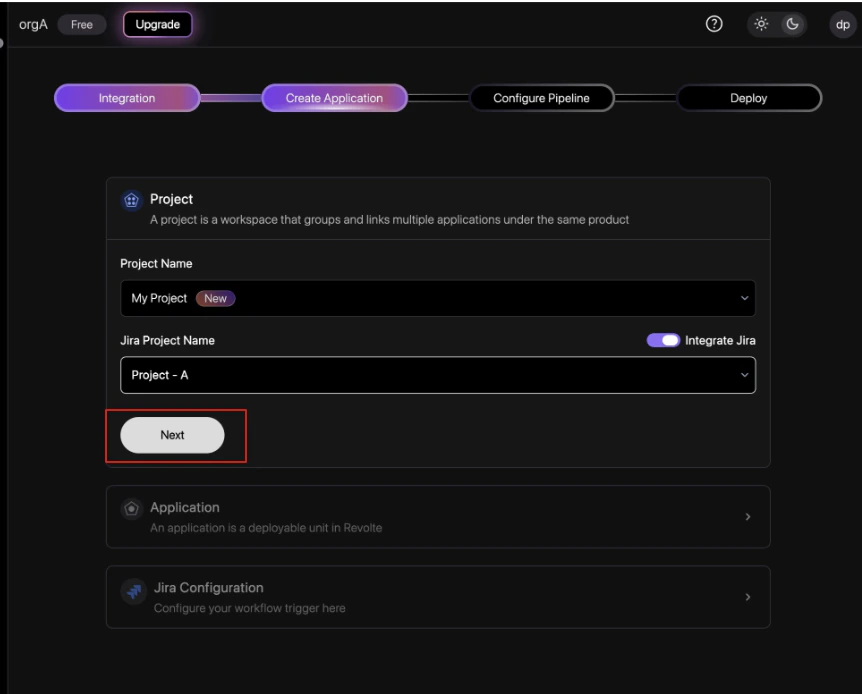
  <Step title="Create the project">
    Create or select the project that groups related applications under the same product context.

    <div style={{ display: "flex", justifyContent: "center" }}>
      <img src="https://mintcdn.com/poddle-54594c3d/q0Rk3K5lGk3vHIWm/image-v2/setup/quick-start-5.png?fit=max&auto=format&n=q0Rk3K5lGk3vHIWm&q=85&s=233a5f8912ef3e1e8d9a57d1a5de3bae" width="600" alt="Project creation form" data-path="image-v2/setup/quick-start-5.png" />
    </div>
  </Step>

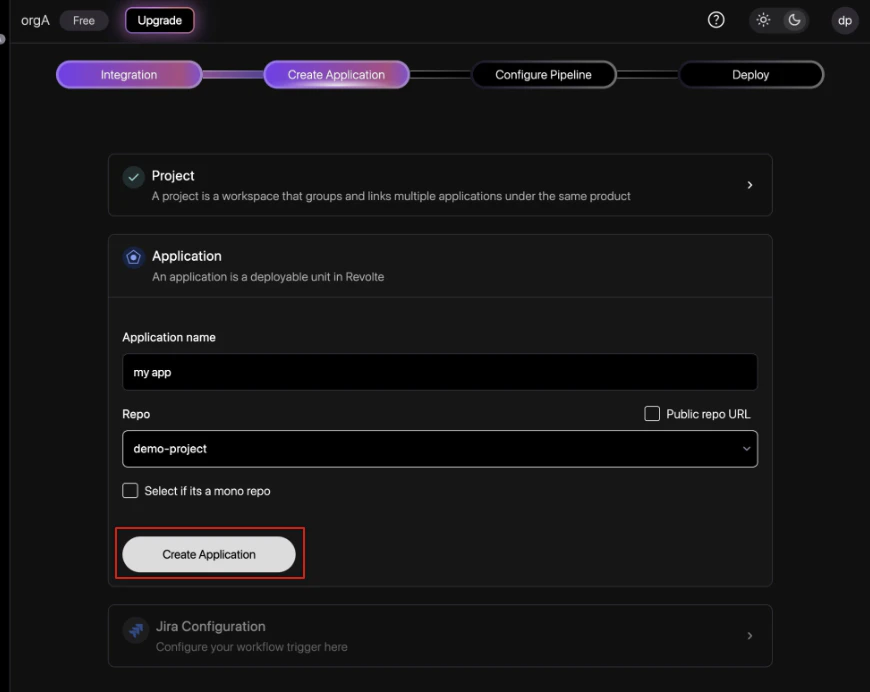
  <Step title="Create the application">
    Name the application and select the repository Revolte should manage.

    * **Select if its a mono repo**: Select this checkbox if the target repository contains multiple independent applications or microservices rather than a single codebase. Learn more in the [Monorepo Configuration Guide](/integrations/repository/monorepo).

    <div style={{ display: "flex", justifyContent: "center" }}>
      <img src="https://mintcdn.com/poddle-54594c3d/q0Rk3K5lGk3vHIWm/image-v2/setup/quick-start-6.png?fit=max&auto=format&n=q0Rk3K5lGk3vHIWm&q=85&s=7e69108448b088a57f1fda1238b999b3" width="600" alt="Application creation form" data-path="image-v2/setup/quick-start-6.png" />
    </div>
  </Step>

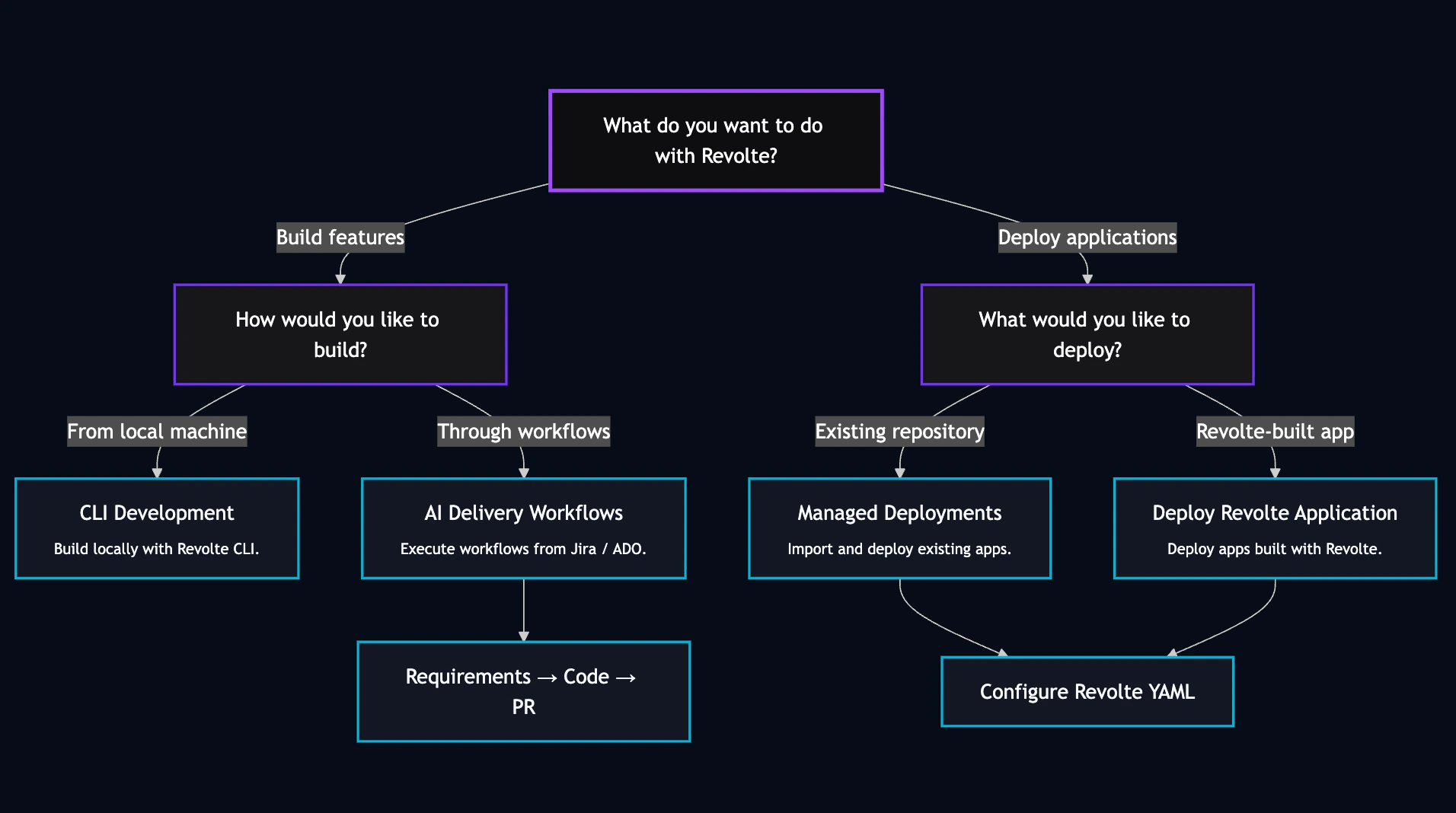
  <Step title="Select a workflow pathway">
    Use the workflow guide below to identify the best development and deployment path for your application.

    <div style={{ display: "flex", justifyContent: "center" }}>
      <img src="https://mintcdn.com/poddle-54594c3d/q0Rk3K5lGk3vHIWm/image-v2/setup/mermaid.png?fit=max&auto=format&n=q0Rk3K5lGk3vHIWm&q=85&s=ebcf1423285e2a7fc0aa32bf63423906" width="600" alt="Choose a pathway" data-path="image-v2/setup/mermaid.png" />
    </div>

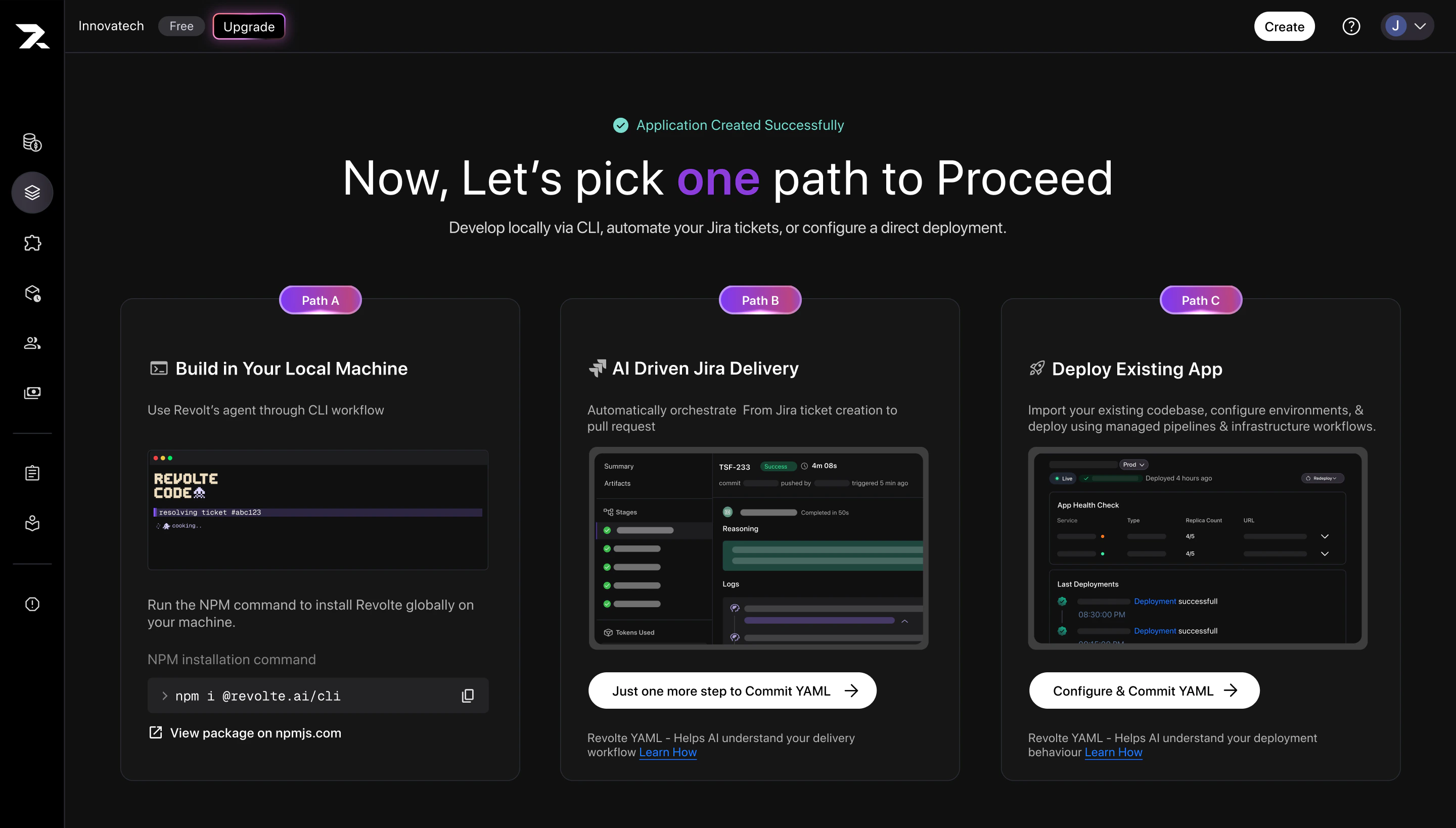
    With your application ready, **Select a workflow pathway** to continue development, automate engineering workflows, or manage deployments.

    <div>
      <img src="https://mintcdn.com/poddle-54594c3d/q0Rk3K5lGk3vHIWm/image-v2/setup/quick-start-9.png?fit=max&auto=format&n=q0Rk3K5lGk3vHIWm&q=85&s=01aed2989bbcc16cf5bb1d52c3a597f9" width="600" alt="Choose a pathway" data-path="image-v2/setup/quick-start-9.png" />
    </div>
  </Step>
</Steps>

### **Select a workflow pathway**

<CardGroup cols={3}>
  <Card title="Build in your local machine" icon="terminal" href="/cli/quick-start">
    Create a new application feature locally in under 5 minutes.
  </Card>

  <Card title="AI driven Workflows" icon="git-pull-request" href="/ai-workflows/development-workflow/get-started">
    Build and manage structured development workflows in an easy, automated way.
  </Card>

  <Card title="Managed Deployments" icon="rocket" href="/deployments/overview">
    Deploy applications with automated infrastructure and lifecycle management.
  </Card>
</CardGroup>