> ## Documentation Index
> Fetch the complete documentation index at: https://docs.revolte.ai/llms.txt
> Use this file to discover all available pages before exploring further.
# Connect GitHub
> Connect your GitHub repositories to Revolte.
## Setup
Revolte offers two ways to connect your GitHub repositories. Choose the method that best fits your workflow.
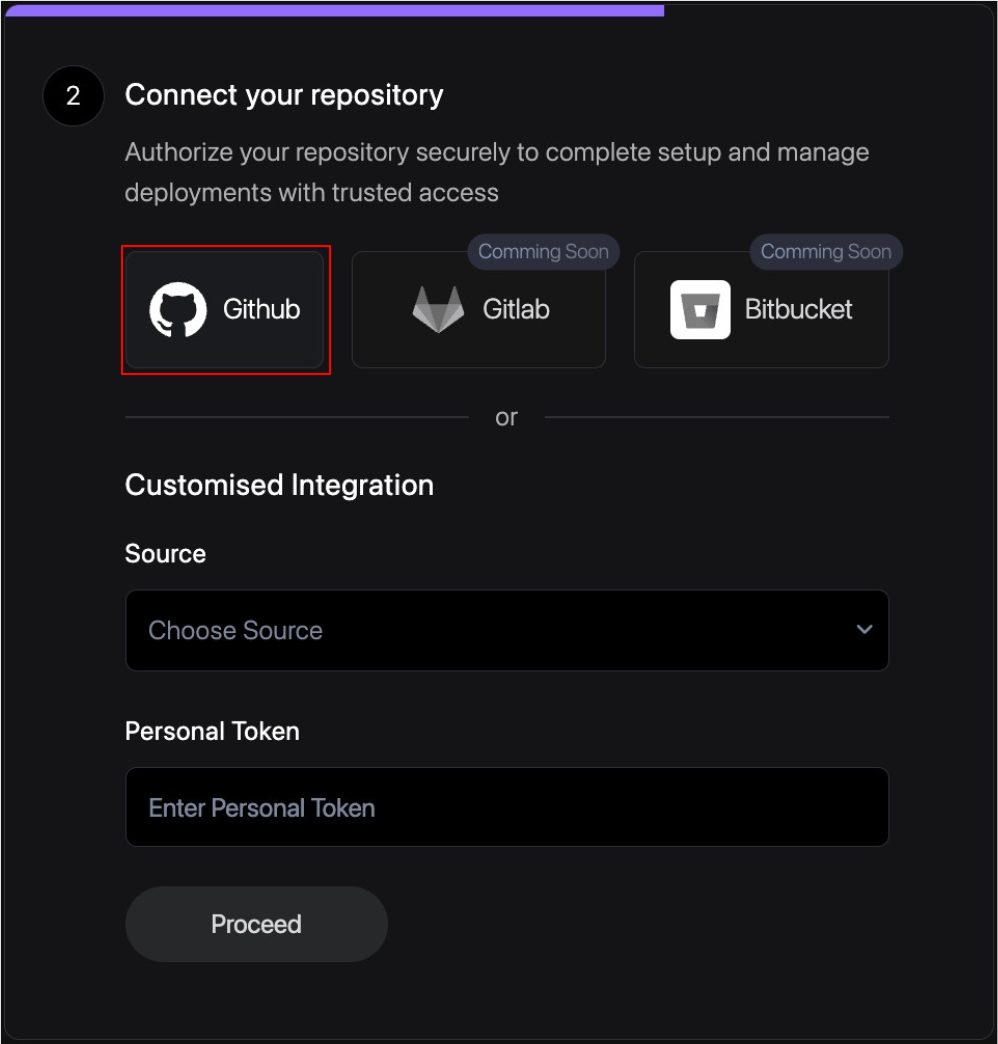
Follow these steps to connect your GitHub account directly.
Click on the GitHub integration button to begin the connection process.
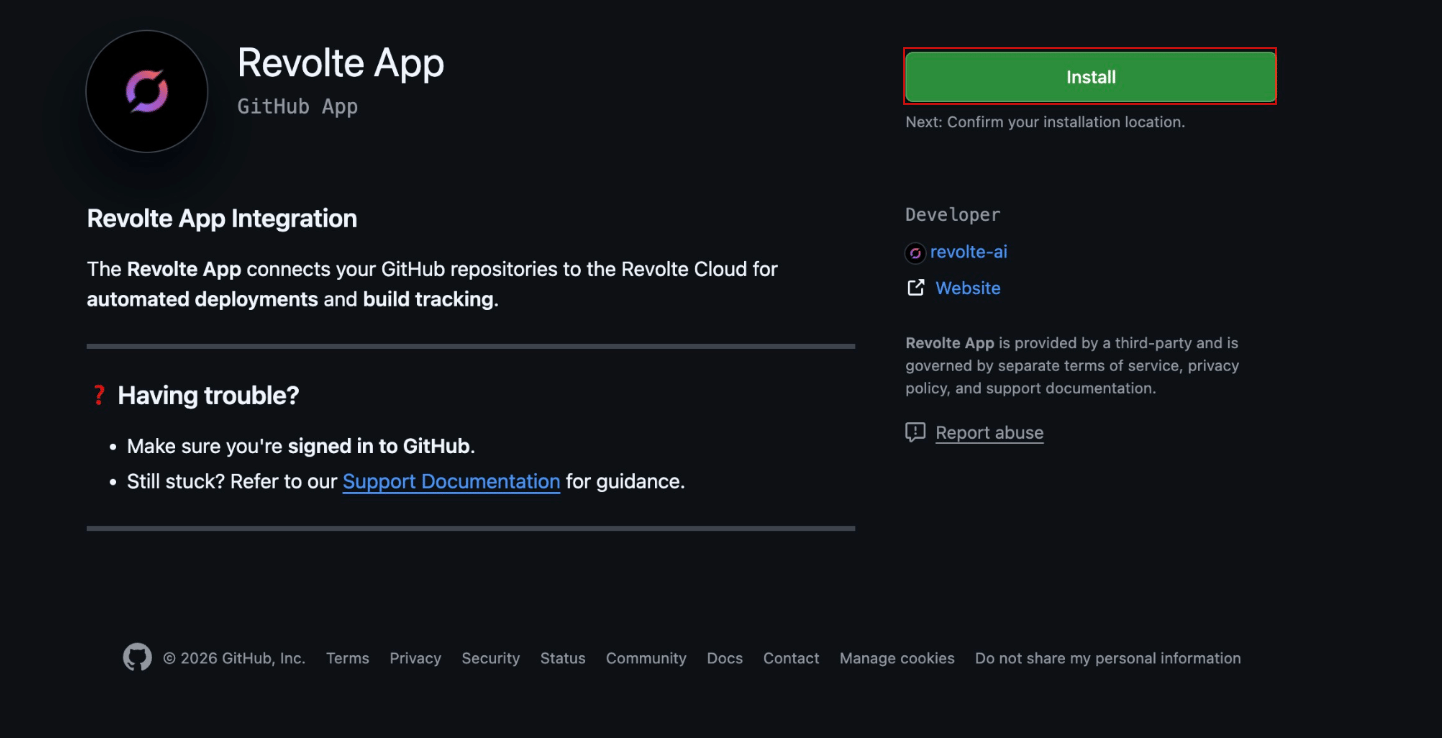
 Authorize Revolte to access your repositories and manage automated workflows.
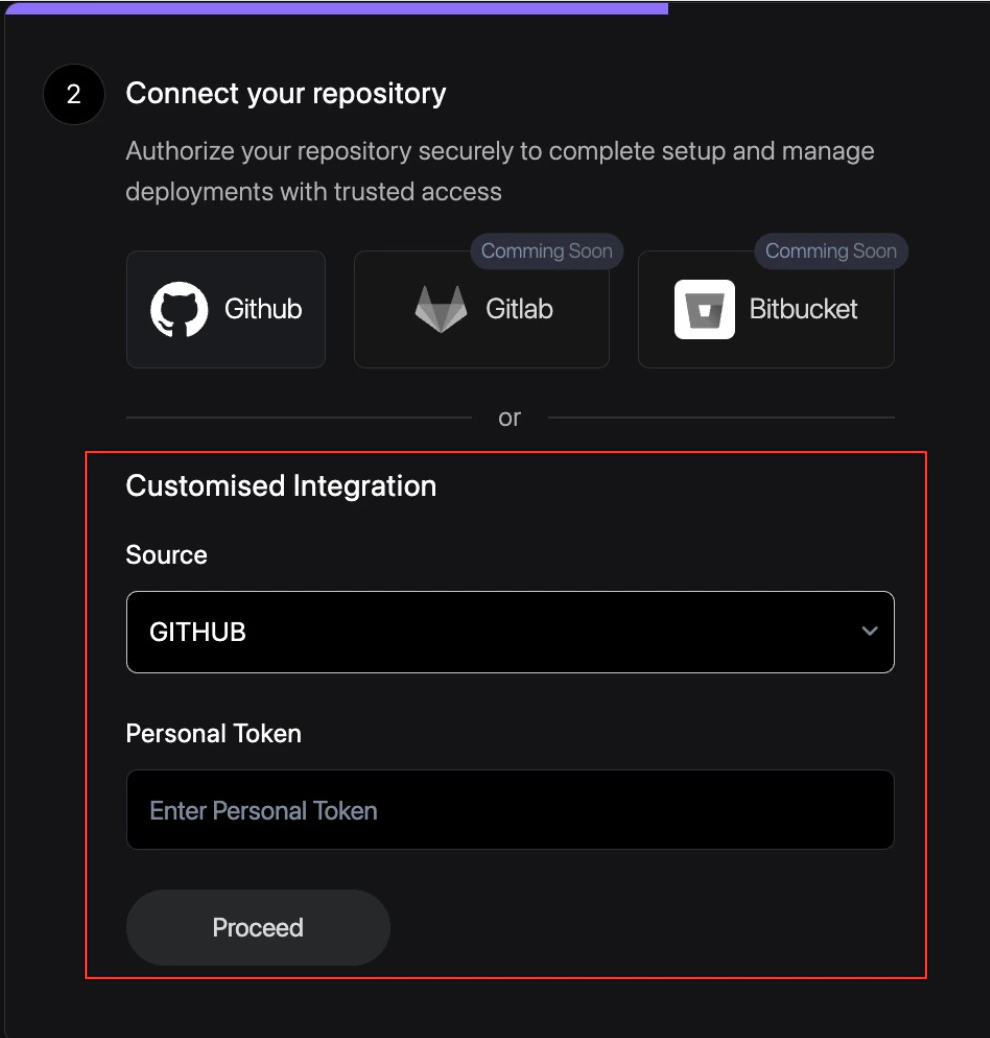
 For advanced security or specific access requirements, you can manually provide a GitHub Personal Access Token (PAT).
1. Generate a PAT in your GitHub Developer Settings.
2. Ensure the token has `repo` and `workflow` scopes.
3. Paste the token into the Revolte configuration field.
For advanced security or specific access requirements, you can manually provide a GitHub Personal Access Token (PAT).
1. Generate a PAT in your GitHub Developer Settings.
2. Ensure the token has `repo` and `workflow` scopes.
3. Paste the token into the Revolte configuration field.
 ## Supported sources
* [GitHub](/integrations/repository/github)
* GitLab Coming Soon
* Bitbucket Coming Soon
## Next steps
* [Cloud Providers](/integrations/cloud/overview)
* [Project Management (Jira)](/integrations/project-management/jira)
* [Deployments Overview](/deployments/services/overview)
## Supported sources
* [GitHub](/integrations/repository/github)
* GitLab Coming Soon
* Bitbucket Coming Soon
## Next steps
* [Cloud Providers](/integrations/cloud/overview)
* [Project Management (Jira)](/integrations/project-management/jira)
* [Deployments Overview](/deployments/services/overview)