> ## Documentation Index
> Fetch the complete documentation index at: https://docs.revolte.ai/llms.txt
> Use this file to discover all available pages before exploring further.
# Rollback Strategy
> Recover services by comparing past deployments and restoring known good versions.
## One-click revert
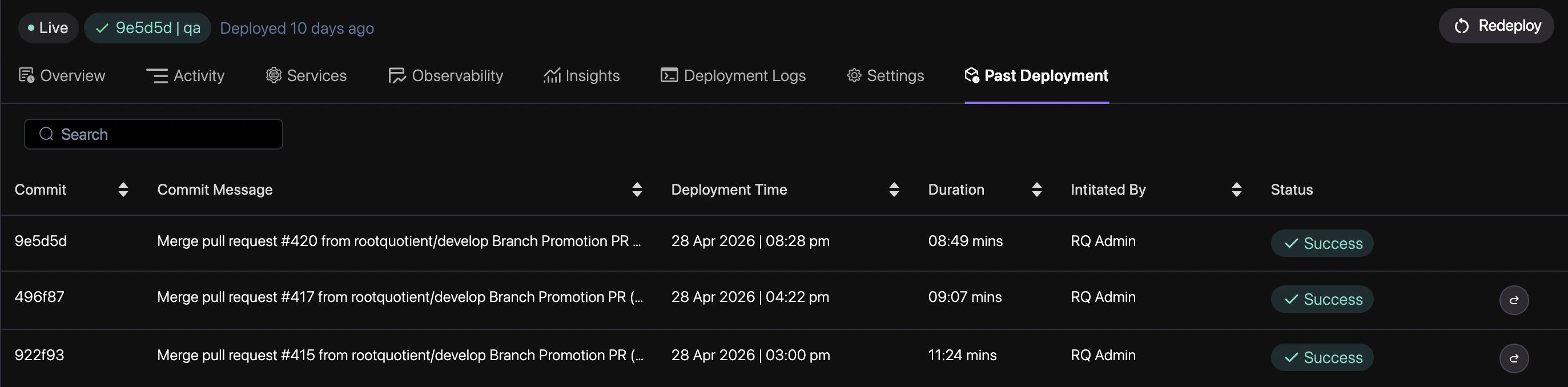
The fastest way to recover is to select a previous deployment from your history and promote it back to production.
Go to the **Deployments** tab in your project dashboard to see the timeline of all releases.
Identify a "Healthy" deployment from the list that you wish to restore.
Click the **Revert to this version** button on the target deployment.
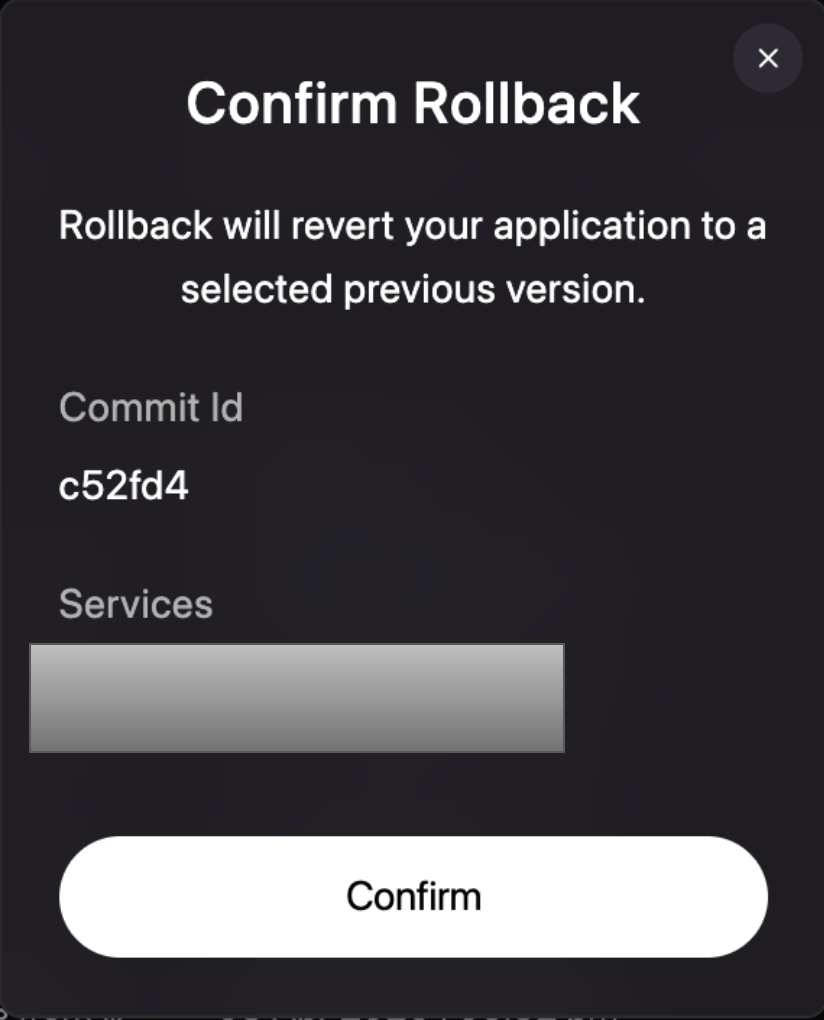
Review the target version in the confirmation modal and click **Confirm**.
Revolte will immediately begin a rolling update to replace the current version with your
selected target.
## Quick links
* [Deployment Logs](/deployments/observability/deployment-logs)
* [Observability Overview](/deployments/observability)
* [Service Configuration](/deployments/services/overview)