> ## Documentation Index
> Fetch the complete documentation index at: https://docs.revolte.ai/llms.txt
> Use this file to discover all available pages before exploring further.
# Monitor Application Logs
> Stream, filter, and search stdout and stderr from running Revolte services.
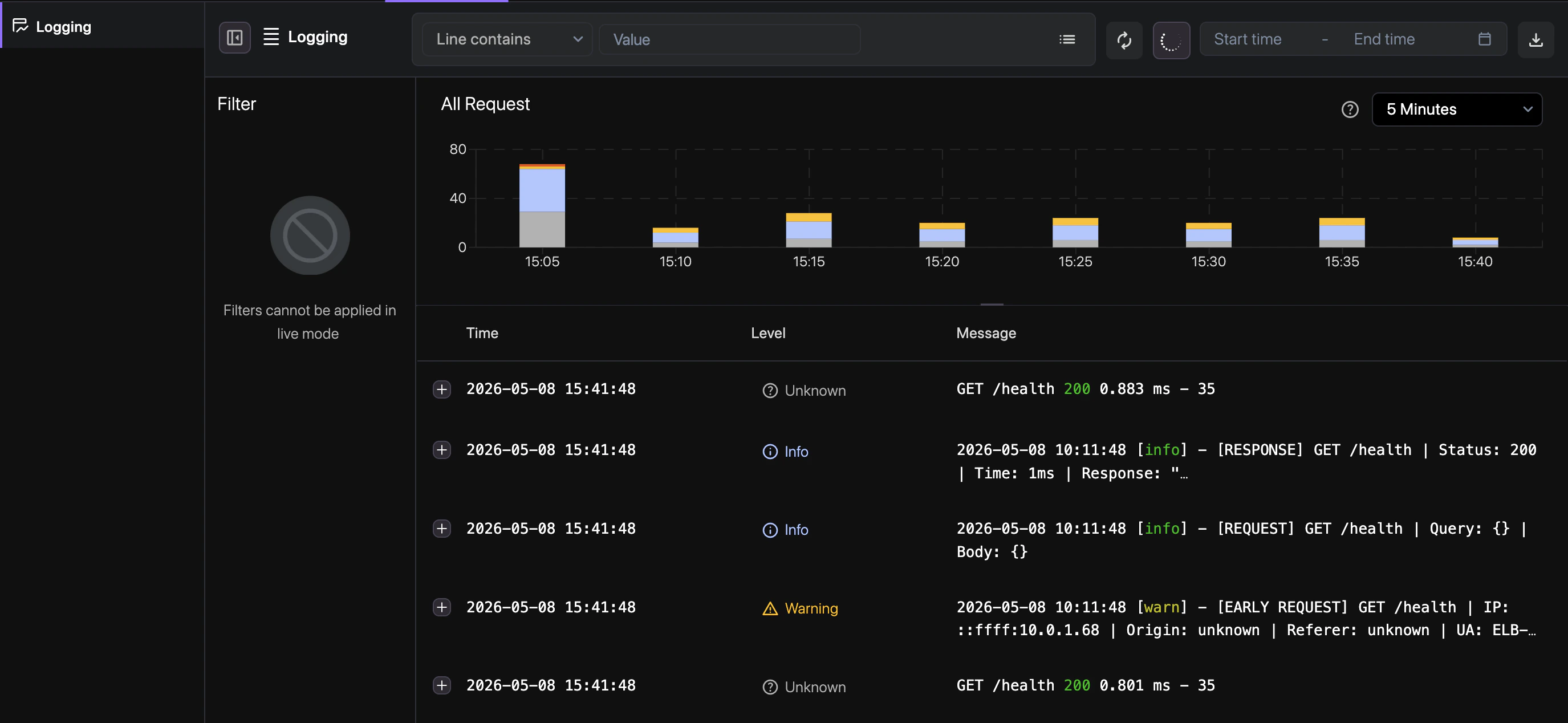 ## How to use
Follow these steps to explore and analyze your service logs in the Revolte dashboard.
Use our intuitive query builder to filter by environment, service, log level, or custom text
patterns.
Toggle **Live Stream** to watch logs as they are emitted from your running instances.
Download filtered log sets as CSV or JSON for external auditing or post-mortem analysis.
## Quick links
* [Deployment Logs](/deployments/observability/deployment-logs)
* [Insights](/deployments/observability/insights)
* [Rollbacks](/deployments/rollbacks)
## How to use
Follow these steps to explore and analyze your service logs in the Revolte dashboard.
Use our intuitive query builder to filter by environment, service, log level, or custom text
patterns.
Toggle **Live Stream** to watch logs as they are emitted from your running instances.
Download filtered log sets as CSV or JSON for external auditing or post-mortem analysis.
## Quick links
* [Deployment Logs](/deployments/observability/deployment-logs)
* [Insights](/deployments/observability/insights)
* [Rollbacks](/deployments/rollbacks)