> ## Documentation Index
> Fetch the complete documentation index at: https://docs.revolte.ai/llms.txt
> Use this file to discover all available pages before exploring further.
# Development Lifecycle
> Automate task execution and delivery cycles with AI-assisted workflows and risk-based gates.
Development workflows in Revolte bridge the gap between task management and code delivery. By connecting your task tracker (Jira) and Git provider, you can automate the entire lifecycle—from initial implementation to preview deployment.
 ## Core capabilities
Revolte provides a dual-layered approach to development automation:
### 1. AI agent workflows
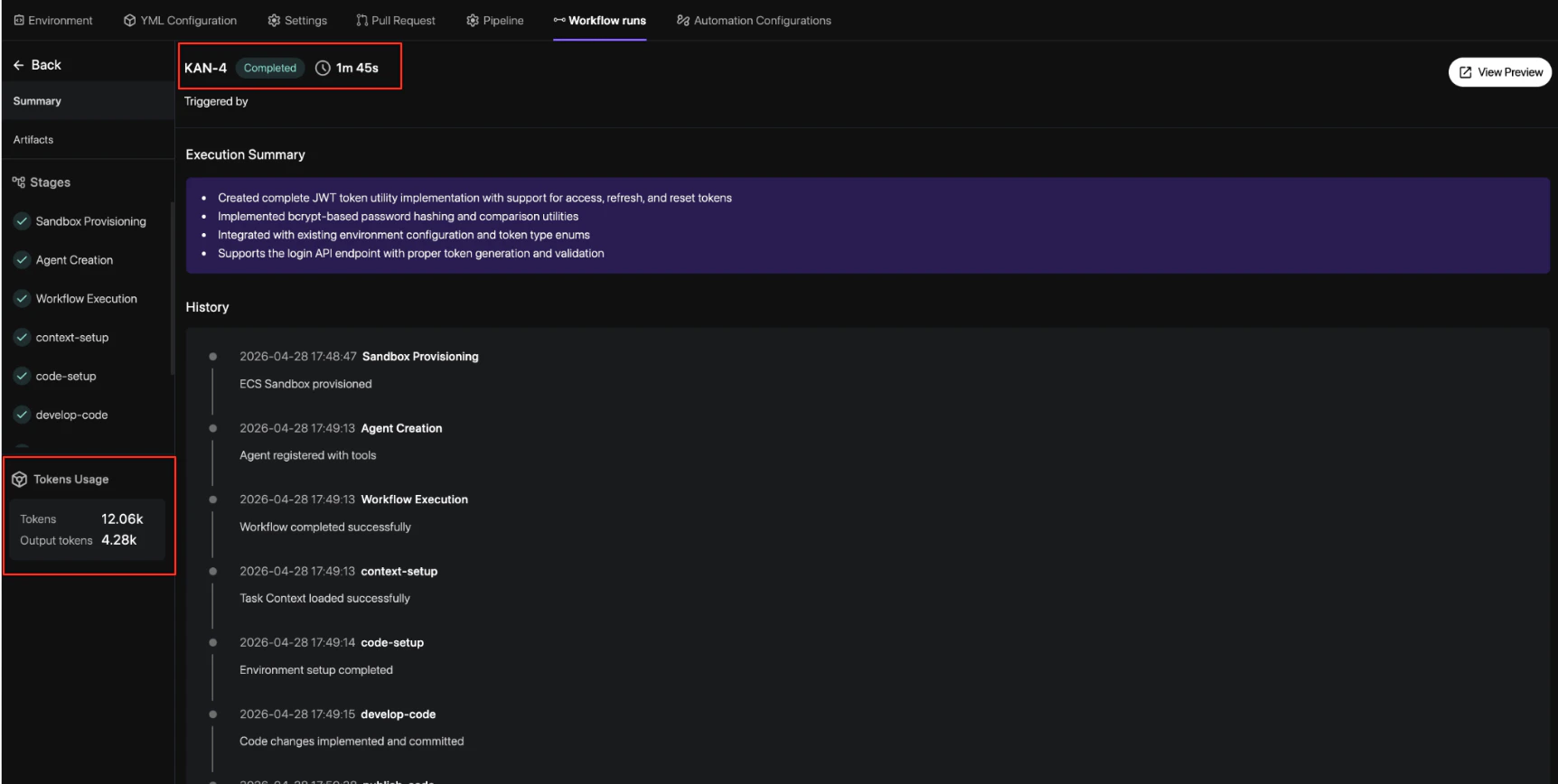
Transform Jira tickets into pull requests automatically. The AI agent analyzes your task context, generates an implementation plan, and executes code changes within a secure sandbox.
* **Auto-Implementation**: Generate code based on Jira descriptions and labels.
* **Artifact Generation**: Review AI-generated implementation plans and diff summaries.
* **Jira Integration**: Trigger workflows directly from your task sidebar.
### 2. Git-based automation
Control the quality and speed of delivery using repository-level events and policy-driven gates.
* **Risk Scoring**: Automatically score every PR based on file sensitivity and service criticality.
* **Review Gates**: Enforce approval requirements based on risk levels defined in your `revolte.yml`.
* **Preview Deployments**: Spin up isolated environments for every change to validate behavior.
## How it works
The workflow typically follows these key stages:
A task is opened in Jira, and the developer selects the target application service from the **Revolte** sidebar dropdown. This instantly signals the AI agent to begin the delivery cycle.
The AI agent creates a sandbox environment, analyzes the codebase, and produces an
implementation plan. It then executes the changes and validates them against your existing
architecture.
A Pull Request is opened. Revolte calculates a **Risk Score** and applies the necessary review
gates. Higher-risk changes (e.g., database migrations) require more strict approval policies.
Once validated, you can deploy to a preview environment for final UAT before merging the changes
into your main branch.
## Next steps
* [Get Started](/ai-workflows/development-workflow/get-started) — Follow the step-by-step guide to activate your first workflow.
* [YAML Reference](/yaml/overview) — Learn how to configure risk thresholds and service roots.
## Core capabilities
Revolte provides a dual-layered approach to development automation:
### 1. AI agent workflows
Transform Jira tickets into pull requests automatically. The AI agent analyzes your task context, generates an implementation plan, and executes code changes within a secure sandbox.
* **Auto-Implementation**: Generate code based on Jira descriptions and labels.
* **Artifact Generation**: Review AI-generated implementation plans and diff summaries.
* **Jira Integration**: Trigger workflows directly from your task sidebar.
### 2. Git-based automation
Control the quality and speed of delivery using repository-level events and policy-driven gates.
* **Risk Scoring**: Automatically score every PR based on file sensitivity and service criticality.
* **Review Gates**: Enforce approval requirements based on risk levels defined in your `revolte.yml`.
* **Preview Deployments**: Spin up isolated environments for every change to validate behavior.
## How it works
The workflow typically follows these key stages:
A task is opened in Jira, and the developer selects the target application service from the **Revolte** sidebar dropdown. This instantly signals the AI agent to begin the delivery cycle.
The AI agent creates a sandbox environment, analyzes the codebase, and produces an
implementation plan. It then executes the changes and validates them against your existing
architecture.
A Pull Request is opened. Revolte calculates a **Risk Score** and applies the necessary review
gates. Higher-risk changes (e.g., database migrations) require more strict approval policies.
Once validated, you can deploy to a preview environment for final UAT before merging the changes
into your main branch.
## Next steps
* [Get Started](/ai-workflows/development-workflow/get-started) — Follow the step-by-step guide to activate your first workflow.
* [YAML Reference](/yaml/overview) — Learn how to configure risk thresholds and service roots.